
The short version
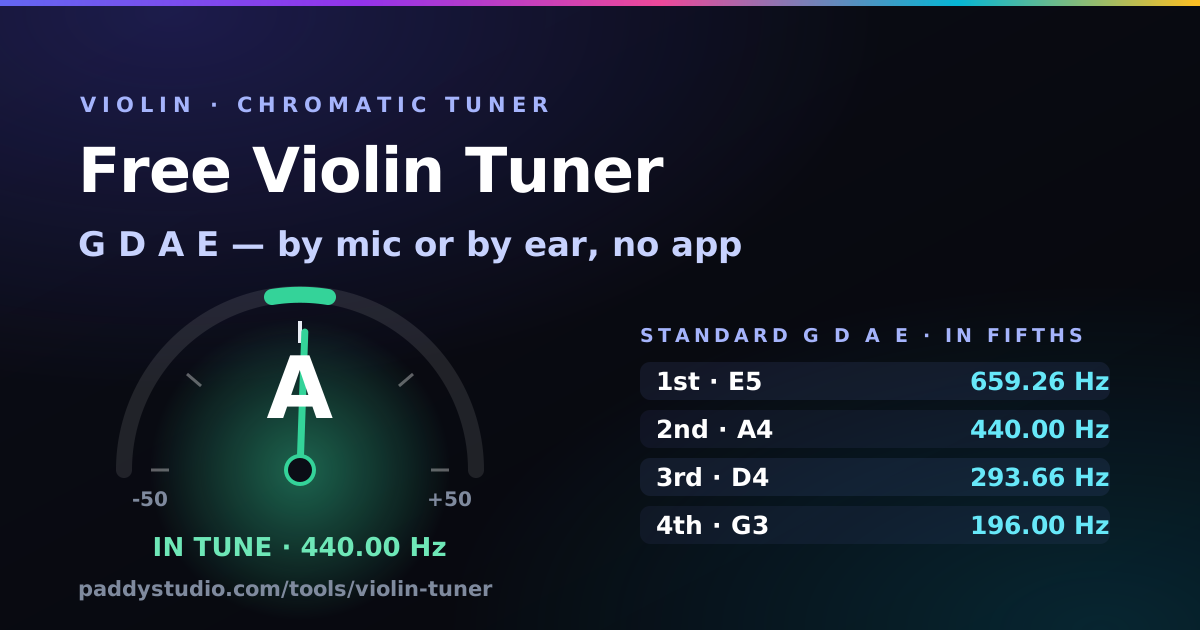
- Standard violin tuning is G D A E: G3 196.00 Hz, D4 293.66 Hz, A4 440.00 Hz and E5 659.26 Hz, from the lowest string to the highest.
- Tune the A string first. It is the reference everyone tunes to, then D, G and E.
- Use the fine tuners for small changes and the pegs only when a string is far out.
- The strings are a perfect fifth apart. Play two neighbours together: in tune, they sound smooth with no wobble.
- Orchestras often tune to A = 442 Hz. Use the + button next to “A4 = 440” to match.
- No microphone? Tap a string pad (or keys 1–4) for a pizzicato reference tone and tune by ear.
How to tune a violin with this tuner
- Press “Start microphone” and accept the browser prompt. Audio is analysed on your device; nothing is recorded or uploaded.
- Check the reference pitch. 440 Hz is standard. If your teacher or orchestra tunes to 442, press + twice.
- Bow or pluck the A string on its own and let it ring. A long, steady bow gives the steadiest reading.
- Turn the fine tuner the way the tuner says: “tighten” (clockwise) if you are flat, “loosen” if you are sharp. The pad gets a tick inside five cents.
- Do D, then G, then E the same way. Then go round all four once more: tightening one string pulls the bridge and nudges the others.
- Press “Play all four” and then play pairs of strings together. Smooth, beatless fifths mean you are done.
Bow or pluck? Both work. Plucking (pizzicato) is easiest for beginners because the note is clean. A steady, medium-weight bow near the middle of the string gives the most stable reading. Scratchy bowing makes the needle jump around, just like it makes your teacher’s eyebrow do.
What are the violin string notes and frequencies?
Standard violin tuning is G3, D4, A4, E5, from the lowest (thickest) string to the highest. Violinists usually name the strings by note, but they are also numbered: the E string is the 1st string and the G string is the 4th. Each string is exactly a perfect fifth (seven semitones) above the one below it.
| String | Note | Frequency | What it does |
|---|---|---|---|
| 4th (lowest) | G3 | 196.00 Hz | Lowest and warmest; the thickest string |
| 3rd | D4 | 293.66 Hz | The middle voice; most beginner tunes start here |
| 2nd | A4 | 440.00 Hz | The tuning reference: always tune this one first |
| 1st (highest) | E5 | 659.26 Hz | The bright melody string; thin, so use the fine tuner |
Pegs or fine tuners: which should I turn?
Use the fine tuners for anything within about a semitone, and the pegs only when a string is way out (after a string change, or if the violin has been in a cold car). Fine tuners are the little screws on the tailpiece. Clockwise raises the pitch, anticlockwise lowers it.
- Turning a peg: loosen it slightly, then bring the string up to pitch while pushing the peg gently into the pegbox, so friction holds it. Pegs that slip back usually just want that inward push.
- Fine tuner at the end of its travel? Unscrew it back to the middle, then make up the difference with the peg.
- Many violins only have a fine tuner on the E string. That’s normal. On the other three, you tune with the pegs, in very small movements.
Check the bridge after a big tuning change. Tightening strings pulls the top of the bridge towards the fingerboard. If it starts to lean, gently ease it back upright, or ask your teacher or a luthier. A bridge that falls over takes the soundpost’s good mood with it.
How to check the fifths by ear
Once each string reads in tune, play two neighbouring strings together (a double stop): G with D, D with A, A with E. A perfectly tuned fifth sounds smooth and still. If one string is slightly off, you hear a slow “wah-wah-wah” beating. The faster the beating, the further out it is. Adjust the string you didn’t just tune until the wobble stops.
That is how violinists tuned for centuries before electronic tuners. Strictly, pure fifths stack up a little wider than the fifths in equal temperament (about two cents each), so the G and E strings end up slightly further apart than a tuner says. Unless you play in a string quartet, you can ignore that and trust the needle.
Violin tuning chart
Standard G D A E covers almost everything. The others are for fiddle music and a few famous classical pieces. Choosing one updates the pads, the reference tones and the target frequencies.
| Tuning | Notes (low → high) | Frequencies (Hz) | Used for |
|---|---|---|---|
| Standard | G3 D4 A4 E5 | 196.00 · 293.66 · 440.00 · 659.26 | Classical, fiddle, pop, almost everything |
| Cross tuning (AEAE) | A3 E4 A4 E5 | 220.00 · 329.63 · 440.00 · 659.26 | Old-time fiddle tunes in A (“Bonaparte’s Retreat”) |
| A D A E (“Sawmill”) | A3 D4 A4 E5 | 220.00 · 293.66 · 440.00 · 659.26 | Old-time and bluegrass tunes in D and A |
| G D G D (“Black Mountain Rag”) | G3 D4 G4 D5 | 196.00 · 293.66 · 392.00 · 587.33 | Fiddle tunes in G and D |
| Danse Macabre scordatura | G3 D4 A4 D♯5 | 196.00 · 293.66 · 440.00 · 622.25 | Saint-Saëns’s Danse Macabre (solo part) |
Changing tuning (scordatura) puts the strings under different tension, so the violin takes a while to settle. Retune a couple of times, and don’t crank the E string up a step: it is already the most tense string on the instrument.
Why I built this
I'm a guitarist: a Cort, a lot of enthusiasm, roughly twelve notes. I do not play the violin. I tried once, at a friend's house. The cat left the room, then the dog, then my friend. Violinists tune to the A first and then listen for perfect fifths, which is lovely in theory, but what if you can't tell yet whether a fifth is wobbling?
So I took the engine behind my guitar tuner and gave it violin ears: a higher search range for the E string, a steadier reading for bowed notes, and pizzicato reference tones so you can tune by ear. I added the “Play all four” button because hearing the fifths is half of learning to tune. The violin still sounds better in someone else’s hands. At least now it sounds better in tune.
Using a violin in a Suno prompt
Adding a real violin over a Suno track, or just want strings that sound like a real player? Name how it is played, not just the instrument. “Violin” on its own often comes out as a vague string pad. “Expressive solo violin with vibrato” or “fiddle double stops” is much clearer. Here is a starting style to paste in:
Cinematic folk pop, 92 BPM, expressive solo violin lead with vibrato, fiddle double stops, warm acoustic guitar, soft piano, emotional female vocals, heartfelt, soaring, intimate
Recording over an AI backing? Tune to the track first. If the song sits a little off 440 Hz, nudge the A4 control until a reference tone matches the record, then tune all four strings to that. The BPM and key finder tells you what key the track is in.
How the detection works, and what it does with your audio
The tuner filters the microphone signal so rumble and scratchy bow noise can’t fool the maths, then runs a YIN pitch detector. It compares the waveform with delayed copies of itself to find the period that repeats, and interpolates between samples to land within about a cent. A short median filter throws out odd readings, so the needle stays steady even with a bit of vibrato. In Violin mode it snaps to the nearest open string; Chromatic mode names any note from about 160 Hz to 1400 Hz, which is handy for checking intonation on stopped notes too.
The reference tones are synthesised on the spot with a plucked-string model (Karplus-Strong), so they sound like a pizzicato note rather than a test beep. All of it runs in the browser with the Web Audio API. No audio is recorded, stored or sent anywhere, there's no account, and pressing “Stop microphone” or closing the tab releases the mic immediately. Your tuning choice and A4 setting are saved in your browser's local storage, on your device only.
Violin tuning FAQ
What are the notes on a violin?
G D A E. From the lowest string to the highest: G3 at 196.00 Hz, D4 at 293.66 Hz, A4 at 440.00 Hz and E5 at 659.26 Hz, at a reference pitch of A4 = 440 Hz. Each string is a perfect fifth above the one below.
Which violin string should I tune first?
The A string. It is the reference pitch for the whole orchestra, and once it is right you can tune D, G and E to it, either with the tuner or by listening for smooth fifths.
Should I tune with the pegs or the fine tuners?
Use the fine tuners for small adjustments and the pegs only when a string is far out, such as after a string change. When you turn a peg, push it gently into the pegbox so it doesn’t slip.
Do I bow or pluck the string to tune?
Either works. Plucking (pizzicato) gives the cleanest note for beginners. A steady, medium-weight bow gives a longer, very stable reading.
Should I tune my violin to 440 or 442 Hz?
A4 = 440 Hz is the standard. Many orchestras in Europe tune to 442 Hz, and Baroque groups often use 415 Hz. Use the + and − buttons next to “A4 = 440” to match whoever you play with.
Is fiddle tuning different from violin tuning?
No. A fiddle is a violin, and the standard tuning is the same G D A E. Some old-time fiddle tunes use alternate tunings such as A E A E, A D A E or G D G D, and all of them are in the tuning menu.
Why does my violin go out of tune so quickly?
New strings stretch for the first few days, and gut or synthetic strings react to changes in temperature and humidity. Pegs that are not pushed in also slip. Tune before every practice; it gets quicker.
Can I tune a violin without a microphone?
Yes. Tap any of the four string pads, or press keys 1 to 4, to hear a pizzicato reference tone and match your string to it by ear.
Can I use this for a viola, cello or double bass?
Use the dedicated pages instead: the viola tuner (C G D A), the cello tuner (C G D A, an octave lower) and the double bass tuner (E A D G). Each is set up for that instrument’s range.
Is my microphone audio recorded or uploaded?
No. Pitch detection runs in your browser with the Web Audio API. Nothing is recorded and no audio is sent to any server.
Writing strings into a song?
The free Paddy Prompt Studio builds Suno style prompts and Vidmuse video scripts. Pick a genre, mood and vocal and it writes the style line for you, violin and all.
Open the Prompt Studio →