
The short version
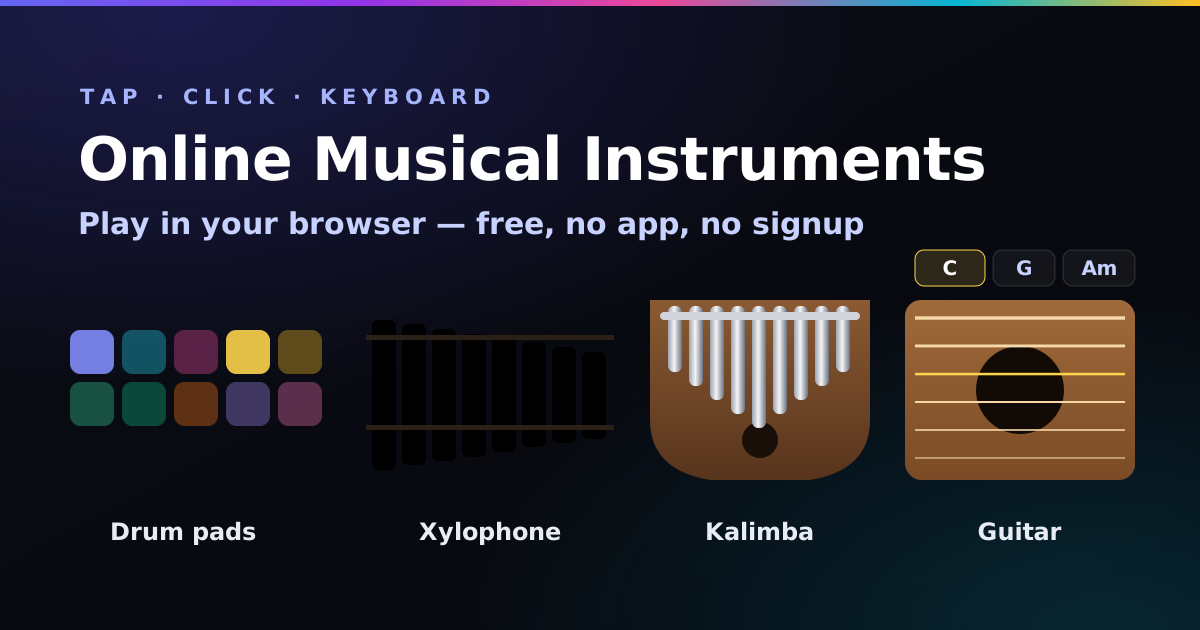
- Four free online music instruments on one page: drum pads, a xylophone, a kalimba and an acoustic guitar. Nothing to install, no account.
- Play with anything: click, tap (several fingers at once), drag across bars and strings, or use your computer keyboard on A to ;.
- Pentatonic mode means no wrong notes. Perfect for kids, for jamming, and for anyone who’s been told they’re “not musical”. (They were wrong.)
- The guitar strums real chords. Ten of them, picked with the number keys, strummed with Space.
- Want more? The online piano, drum machine and music sequencer are next door, also free.
- Nothing is recorded or uploaded. Every sound is synthesised on your device the moment you play it.
Which online instrument should you play?
Every instrument on this site, sorted by how fast you’ll get a grin out of it.
| Instrument | Good for | Skill needed |
|---|---|---|
| Drum pads | Finger drumming, rhythm practice, letting off steam | None at all |
| Xylophone | Kids, first melodies, nursery rhymes | None |
| Kalimba | Relaxing, dreamy little tunes, “should I buy one?” | Very low |
| Guitar | Learning which chords go together, songwriting | Low (the computer does the fingering) |
| Piano keyboard | Melodies, chords, scales, MIDI keyboards, recording a WAV | Low to medium |
| Drum machine | Programming a full beat that loops, 13 genre patterns | Low |
| Music sequencer | A whole loop: drums, bass, chords and melody, plus WAV and MIDI | Low |
How to play the online drum pads
Ten pads: kick, snare, clap, closed hi-hat, open hi-hat, low tom, high tom, cowbell, rim and crash. Hit them with a click, a tap, or the keys A to ;. On a phone you can tap two at once, which is how finger drummers on YouTube make it look easy.
- The beat everyone knows: A (kick), F (hat), S (snare), F (hat), round and round. Keep it steady; speed is optional.
- Make it groove: add a second kick just before the snare. Suddenly it’s funk.
- Need it to loop without you? That’s the drum machine’s job, and my guide on how to make a beat online walks through it step by step.
How to play the online xylophone
Ten colourful bars, low on the left and high on the right. Click or tap a bar, press A to ;, or drag your finger across them for that cartoon “bloop-bloop-bloop” glissando. Pick a scale and key at the bottom: pentatonic is the default because every note fits with every other, so even random tapping sounds like music.
Switch to Major to play the classics. Open Easy songs to try under the instrument and the keys are written out for you: Twinkle Twinkle, Ode to Joy and Mary Had a Little Lamb. A dot means “pause for a beat”.
How to play the online kalimba
A kalimba (or thumb piano) is a little wooden box with metal tines you pluck with your thumbs. The clever bit is the layout: the lowest, longest tine sits in the middle and the notes climb outwards, alternating left and right. That’s exactly how this one is laid out, so it’s a decent way to see whether the real thing would suit you before spending money.
The computer keys ignore the zigzag and go simply low to high (A is the lowest), so tunes from the xylophone work here too. Turn Room up a bit; a kalimba loves a little echo.
How to play guitar online with your keyboard
I’ve played guitar since I was fourteen, on a borrowed guitar that was more broken than borrowed, so I had opinions about this one. It’s a six-string acoustic with the strings modelled one by one, which is why it rings, buzzes and decays like a real string rather than beeping.
- Pick a chord. Tap one of the ten chord buttons, or press the number keys 1 to 0. Picking a chord strums it once so you hear it.
- Strum. Swipe across the strings, press Space to strum down, or Shift+Space to strum up. Down strums are a bit louder, like on a real guitar.
- Pluck single strings. Tap one string, or use A (low E) through H (high e). Muted strings, like the low E on a C chord, stay quiet.
Four chords to try: C, G, Am, F (keys 1, 2, 3, 4), four strums each. Then Am, F, C, G for the moody version. If you want more progressions that work, the chord progression generator shows them with real guitar shapes.
Playing with your computer keyboard
| Keys | Drum pads | Xylophone & kalimba | Guitar |
|---|---|---|---|
| A–; | The ten pads, left to right | Ten notes, low to high | A–H pluck strings low E to high e |
| 1–0 | — | — | Choose a chord |
| Space | — | — | Strum down (Shift for up) |
| ← → | Switch instrument when the tabs have focus | ||
Online instrument vs the real thing: the honest bit
An online instrument won’t teach you technique. There’s no wood under your fingers, no string biting into your fingertips, and you can’t play softly or loudly by touch. So no, this won’t turn you into a session drummer.
What it is brilliant for: finding out whether you like an instrument before buying one, learning which notes and chords go together, keeping a bored kid happy for twenty minutes, and sketching an idea before it escapes. If one of these sticks, get the real thing, tune it with the free guitar, ukulele or bass tuner, and keep time with the metronome.
For teachers, parents and kids
- No ads, no account, no app store. Send a link and it works on a school Chromebook, a tablet or a phone.
- Pentatonic mode for group jams: everyone plays any bar they like and it still sounds good.
- Keys are labelled, so “play A A G G H H G” is a lesson plan. Untick Show keys once they’re playing by ear.
- My free toolkit for online music lessons has homework ideas that use these.
From jamming to a finished song
Found a riff on the xylophone or a chord loop on the guitar you can’t stop playing? Build it into a loop in the music sequencer, then one button turns it into a Suno style prompt, so an AI band can perform the full song. The Prompt Studio handles the rest. Instruments are a lovely detail to put in the prompt, too:
gentle kalimba melody, warm acoustic guitar strums, soft hand percussion, xylophone accents, cozy, 90 bpm
How it works, and what it does with your data
Nothing here is a recording. Every sound is built from scratch by your browser’s Web Audio API the instant you play it. The drums are oscillators and filtered noise. The xylophone is a sine wave plus the odd, slightly out-of-tune overtone real wooden bars have (about 3.9 times the note). The kalimba adds a faint metallic partial and a long ring. The guitar uses the Karplus–Strong method: a burst of noise bounces round a tiny delay line, losing a little brightness each lap, which happens to be exactly how a plucked string behaves.
There is no microphone, no recording and no upload. The only things remembered are your last instrument, volume, room, scale, key, chord and the Show keys setting, in your browser’s local storage.
No sound on an iPhone? Flip the silent switch off. iOS mutes web audio in silent mode, which has fooled me more times than I’d like to admit.
Online instruments FAQ
Can I play musical instruments online for free?
Yes. Browser instruments like the drum pads, xylophone, kalimba and guitar on this page are free with no app or account. They make their sound with the Web Audio API in your browser, so they work in Chrome, Safari, Firefox and Edge on a computer, phone or tablet.
What is the easiest instrument to play online?
Drum pads, and the xylophone or kalimba in pentatonic mode. Drum pads need no notes at all, and the pentatonic scale has no notes that clash, so anything you play sounds musical. The online piano is the next step once you want chords and melodies.
How do I play these instruments with my computer keyboard?
The home row keys A, S, D, F, G, H, J, K, L and ; play the pads, bars or tines from left to right, or low to high. On the guitar, number keys 1 to 0 choose a chord, Space strums down, Shift and Space strums up, and A to H pluck single strings.
Do these online instruments work on a phone?
Yes. They’re built for touch and support several fingers at once, so you can hit two drum pads together or drag across the bars and strings. Turn off silent mode on an iPhone, as it mutes web audio.
Are online instruments good for kids?
Yes. No ads, no account, nothing to download, instant results, and the pentatonic setting means nothing sounds wrong. The easy songs list shows which keys to press for Twinkle Twinkle and Mary Had a Little Lamb.
Can an online instrument replace a real one?
Not for learning technique: there’s no touch, no strings under your fingers and no dynamics. They’re great for trying an instrument before buying one, learning which notes go together, sketching ideas and having fun. If one sticks, get a real one and tune it with the free tuners on this site.
Is anything recorded or uploaded?
No. The sounds are generated on your device the moment you play. There’s no microphone, no recording and no upload. Only your chosen instrument and settings are remembered, in your own browser.
Got a tune stuck in your head now?
Loop it in the free music sequencer: drums, bass, chords and melody on one grid, locked to your key. Then one click turns it into a Suno prompt.
Open the music sequencer →