
The short version
- To find a song's BPM, tap along to the beat for eight to sixteen taps, or drop the audio file into the analyser. The tap result is the average gap between your taps converted to beats per minute.
- Half- and double-time readings are normal. Any tempo detector can call a 140 BPM trap beat 70, or a 174 BPM drum and bass track 87. Both numbers describe the same groove, so pick the one that matches how you count it.
- Key detection compares the notes in the song with templates for all 24 major and minor keys. Relative pairs like A minor and C major share every note, which makes them the most common mix-up.
- The Camelot code puts keys on a 12-hour wheel for DJs. C major is 8B and A minor is 8A, and keys with the same number, or a number one step either side, mix smoothly.
- Nothing is uploaded. The file is decoded with the Web Audio API and analysed in your browser tab, with up to two minutes of audio checked.
How to find the BPM and key of a song
- Pick a mode. Tap tempo is for when the song is playing somewhere else, like the radio, a video or a band rehearsal. Analyse a song is for when you have the audio file, such as a Suno download, a WAV bounce or an MP3.
- To tap: hit the pad, Space or any key on every beat. The BPM is live from the second tap, the stability bar shows how even you are, and two seconds without a tap pauses it.
- To analyse: drag the file onto the drop zone or press “choose one”. It is decoded on your device and up to two minutes are analysed, skipping up to the first 30 seconds of longer songs so a quiet intro doesn't confuse it.
- Read the result. You get the BPM to one decimal with its half- and double-time alternatives, the key with its Camelot code, the relative key, a runner-up key and a confidence score for each.
- Check it by ear. Press “Play with click” to hear a metronome over the song. Nudge the tempo by 1 or 0.1 BPM and slide the click earlier or later until it sits on the kick drum.
- Use it. Copy the Suno style snippet, or open the Prompt Studio with the BPM and key already filled in.
Tap on the kick and snare, not the hi-hats. Hats usually move twice as fast as the beat, and tapping them gives you double the tempo. If you lose count, press Esc and start again from the top of a bar.
What BPM is my song? Typical tempo by genre
Most genres sit inside a fairly narrow tempo band, which is why a BPM reading is such a good genre clue. These ranges match the Suno BPM cheat sheet. The last column shows the number a detector, or a person tapping, will often give instead.
| Genre | Typical BPM | Sweet spot | Often misread as |
|---|---|---|---|
| Ambient / cinematic | 60–80 | 70 | Double (120–160) if there's a busy arpeggio |
| Lo-fi hip-hop | 70–90 | 75 | Double (140–180), because of swung hats |
| Hip-hop / boom bap | 85–95 | 90 | Double (170–190) |
| Reggaeton | 90–100 | 95 | Rarely; the dembow rhythm is clear |
| Pop | 100–120 | 116 | Half (50–60) on ballads |
| Synthwave | 100–120 | 110 | Rarely |
| House / disco | 120–128 | 124 | Almost never, because four-on-the-floor kicks are easy |
| Techno | 125–135 | 130 | Almost never |
| Trap | 130–150 (half-time feel) | 140 | Half (65–75), which is how it feels |
| Drill | 140–145 | 142 | Half (~71) |
| Phonk | 130–160 | 145 | Half (65–80) |
| Rock / pop-punk | 130–160 | 140 | Half on heavier, slower-feeling riffs |
| Drum and bass | 170–175 | 174 | Half (85–88), very common |
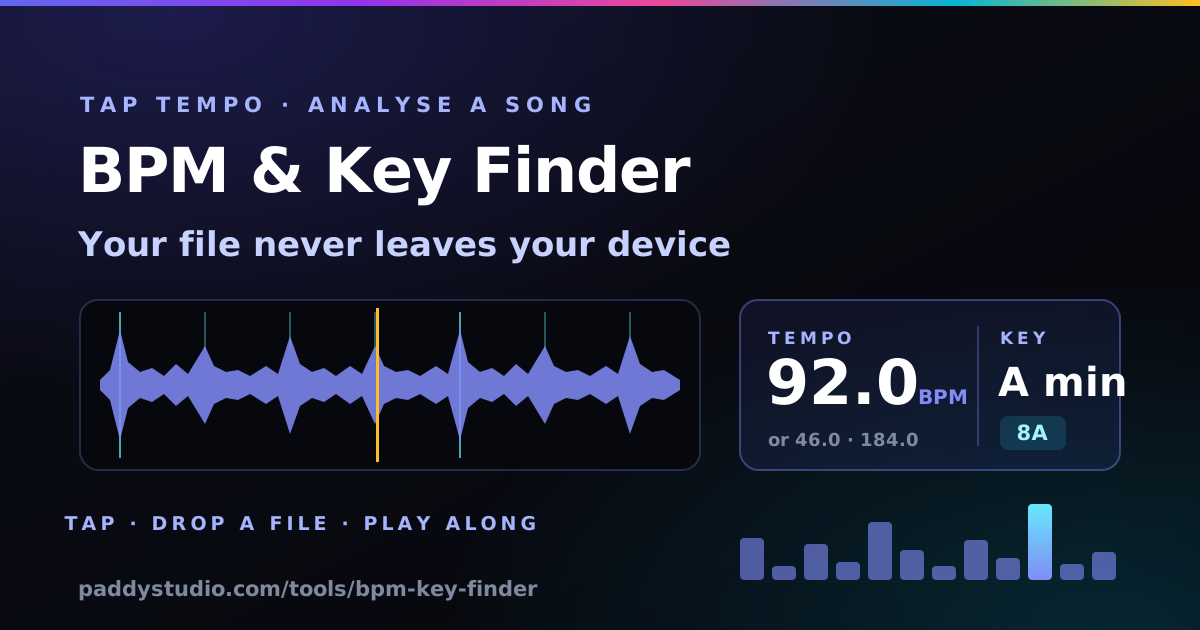
How does BPM detection work, and when does it get it wrong?
BPM detection finds the time gap that the song's note onsets repeat at most strongly. Here's what this page does, step by step:
- Onset envelope. The audio is cut into 46 ms slices, and for each slice the tool measures how much louder each frequency band got than in the slice before. This is called spectral flux. Drums and plucked notes produce sharp spikes, while held pads produce almost none.
- Autocorrelation. That spike train is compared with time-shifted copies of itself. Shifting by exactly one beat lines the spikes up best.
- Tempo pick. Every tempo from 60 to 200 BPM is scored on how well its beat and its two-, three- and four-beat multiples line up. The score is gently weighted towards 120 BPM, the middle of where most music lives. The winner is then fine-tuned to one decimal by fitting all eight lag multiples at once.
Here's the honest bit: it can be wrong in a few predictable ways.
- Half- and double-time confusion. This is the big one. A trap beat has a snare every other beat at 140, so it genuinely feels like 70. Drum and bass at 174 rolls along like 87. Neither answer is wrong, because it depends where you put the "one". That's why the result always shows both alternatives as buttons.
- Swing and shuffle. Swung eighth notes are unevenly spaced, which smears the onset pattern. The main beat usually survives, but confidence drops.
- Tempo changes. A song that speeds up, slows down for a bridge, or switches to half-time for the chorus has no single BPM. You get the dominant tempo of the analysed chunk.
- Live recordings. Human bands drift by a few BPM over a song. The number is the average, and the click will slowly walk off the beat. That's the band, not the tool.
- Beatless music. Ambient, rubato piano and spoken word have no regular onsets, so you'll see low confidence. Tap it instead.
How does key detection work, and when is it wrong?
Key detection measures how much of each of the 12 notes a song uses, then finds the major or minor key whose typical note pattern fits best. The tool takes 4096-point FFT frames (about 0.37 seconds each) and keeps the spectral peaks between 55 and 2000 Hz. It folds every peak into its pitch class, so all the Cs from every octave land in one box, using log magnitude so one loud bass note can't drown out the rest. The resulting 12-bar profile, the chart under the result, is correlated against the Krumhansl-Schmuckler profiles for all 24 keys. Those profiles come from listening experiments on how well each note "fits" a key. The best match wins, and the second-best is shown as the runner-up.
- Relative major/minor confusion. A minor and C major use exactly the same seven notes, and only the centre of gravity differs. If the song leans on the A, it's A minor. If it keeps resolving to C, it's C major. When the runner-up is the relative key, the tool says so.
- Modal music. Dorian, Mixolydian and Phrygian songs don't fit either template neatly. D Dorian uses the notes of C major but centres on D, so expect "D minor" or "C major". Plenty of rock and folk lives here.
- Key changes. A last-chorus lift up a semitone, or a bridge in another key, blends two profiles together. Analyse a section-only export if you need each one.
- Drum-heavy or atonal tracks. With little pitched content, every key correlates weakly and confidence drops. That's the tool being honest, not broken.
- Detuned audio. The note boxes assume A4 = 440 Hz. A recording tuned a quarter-tone off can split between two neighbouring keys.
If the key confidence is low, trust your ears and a guitar over the number. Find the note the song keeps coming home to, and then check whether the chord on it sounds happy (major) or sad (minor). The chord progression generator shows which chords belong to each key.
The Camelot wheel for DJs: key to Camelot code
The Camelot wheel is a numbering system that arranges the 24 keys like a clock so DJs can mix harmonically without music theory. Each number pairs a minor key (A, inner ring) with its relative major (B, outer ring). Moving one number clockwise goes up a perfect fifth.
| Number | A — minor key | B — major key |
|---|---|---|
| 1 | A♭ minor (G♯m) — 1A | B major — 1B |
| 2 | E♭ minor (D♯m) — 2A | F♯ major — 2B |
| 3 | B♭ minor — 3A | D♭ major — 3B |
| 4 | F minor — 4A | A♭ major — 4B |
| 5 | C minor — 5A | E♭ major — 5B |
| 6 | G minor — 6A | B♭ major — 6B |
| 7 | D minor — 7A | F major — 7B |
| 8 | A minor — 8A | C major — 8B |
| 9 | E minor — 9A | G major — 9B |
| 10 | B minor — 10A | D major — 10B |
| 11 | F♯ minor — 11A | A major — 11B |
| 12 | C♯ minor (D♭m) — 12A | E major — 12B |
Mixing rules: from any code you can move to the same code, one number up or down on the same letter (8A to 7A or 9A), or switch letter on the same number (8A to 8B, the relative major). Those moves share six or seven notes, so the blend doesn't clash. The cheeky one is +2 on the same letter (8A to 10A), an energy boost that works for a bar or two at the drop. Match tempos first, though, because harmonic mixing can't rescue a 124 into a 140.
Why I built this
I'm a guitarist, not a producer. I learned on a borrowed guitar with a broken tuner at 14, and I still play by ear more than by theory. Most of my Suno songs start as a vibe, and every time I want to remix one or write a second track that sits next to it on a playlist, I get stuck on the same two questions. How fast is it, and what key? I used to tap my foot, count for fifteen seconds and multiply by four. Then I'd noodle on the Cort until something sounded like home. It works, mostly. It's also how I once confidently told a friend a song was in E when it was in F.
So this does the boring bit properly, and then gives you a click to check it, because I don't fully trust any detector. Including this one. Including my foot.
Using the BPM and key in Suno (and Vidmuse)
Suno takes tempo and key as plain words in the style prompt, so the snippet above is already in the right shape, for example 92 bpm, in the key of A minor. Three things people actually do with it:
- Remix or cover your own Suno track. Put the detected BPM and key in the style prompt of the new version so the remix sits on the same grid and in the same key as the original. Then you can crossfade the two, or lift a vocal from one onto the other.
- Make a Vidmuse video cut on the beat. Knowing the BPM tells you where the cuts go. At 120 BPM a beat is 0.5 s and a four-beat bar is 2 s, so scene changes every 2, 4 or 8 seconds land on the downbeat. The Suno to Vidmuse music video guide walks through it.
- Write a matching second song. For an EP or a playlist that flows, keep the same key or move to a Camelot neighbour, and stay within a few BPM. The chord progression generator gives you progressions in the detected key.
The “Open in Prompt Studio” button sends the rounded BPM and the key straight into the studio's style builder. Add the genre, vocal and instruments there. Suno treats tempo as a strong hint rather than a hard setting, so run the result back through this page to check what you got.
How it works, and what it does with your audio
When you choose a file, the browser reads it straight from your disk and decodes it with the Web Audio API's decodeAudioData. That means it plays any format your browser can play: MP3 and WAV everywhere, M4A/AAC in Safari and Chrome, OGG and FLAC in most. Up to two minutes of the song are mixed to mono and resampled to 11,025 Hz with an OfflineAudioContext, then analysed in small chunks so the page never freezes. On songs longer than about 2¼ minutes, up to the first 30 seconds are skipped so the intro doesn't skew the result. Tap tempo simply measures the time between your taps.
Your audio is never uploaded, stored or sent anywhere. There's no server involved in the analysis, no account, and closing the tab throws the decoded audio away. The only thing the page remembers, in your browser's local storage, is your click-volume setting.
BPM and key finder FAQ
How do I find the BPM of a song?
Either tap along to the beat on the tap pad for eight to sixteen beats and read the average, or drop the audio file into the analyser. It detects the tempo from the pattern of drum hits and note onsets, reports it to one decimal, and lets you check it by ear with a click track.
How do I find the key of a song?
Drop the audio file into the analyser. It measures how much of each of the 12 notes the song uses and matches that profile against all 24 major and minor keys. You get the best key, its Camelot code, the relative key, a runner-up and a confidence score.
Is my audio file uploaded anywhere?
No. The file is decoded and analysed inside your browser with the Web Audio API. Nothing is uploaded or stored, and closing the tab discards it.
Why does it say half or double the BPM I expected?
Because both are valid readings of the same groove. Trap at 140 BPM feels like 70 and drum and bass at 174 feels like 87. The tool shows the half- and double-time alternatives as buttons, so you can switch with one click and check it with the play-along click.
How accurate is the BPM and key detection?
On music with a steady programmed beat, which covers most Suno, electronic and pop tracks, the tempo is typically within a fraction of a BPM, apart from the half/double-time question. Key detection is right most of the time on clearly tonal music. The most common error is naming the relative major or minor, which uses the same notes. Live, swung, modal or beatless music is harder, and the confidence score drops to tell you so.
What is a Camelot code like 8A?
It is the key's position on the Camelot wheel used by DJs. Numbers 1 to 12 go round in fifths, A means minor and B means major, so 8A is A minor and 8B is C major. Keys with the same number, or one number either side, mix together smoothly.
Why did it say C major when the song is in A minor?
A minor and C major are relative keys that share all seven notes, so their profiles are very close. When the runner-up is the relative key, the tool marks it. Listen for the note the song resolves to. If it's A, go with A minor.
Which audio formats can I analyse?
Anything your browser can decode: MP3 and WAV work everywhere, M4A and AAC work in Safari and Chrome, and OGG, Opus and FLAC work in most modern browsers. Files up to 300 MB are accepted, and up to two minutes are analysed, skipping up to the first 30 seconds of longer songs.
How does tap tempo work, and how many taps do I need?
It averages the gaps between your last sixteen taps and converts that to beats per minute. Four taps give a rough number, and eight to sixteen give a solid one. The stability meter shows how even your taps are, and stopping for two seconds pauses the count, so your next tap starts fresh.
Can I use this on a Suno song?
Yes. Download the MP3 or WAV from Suno and drop it in. Copy the style snippet with the BPM and key, or open the Paddy Prompt Studio with them pre-filled, to make a remix, a matching second song, or a beat-synced Vidmuse video.
Can I find the key and BPM of an audio file without installing software?
Yes. Drop an MP3 or WAV (or most audio files your browser can play) onto this page and it detects the tempo, musical key and Camelot code right in your browser. Nothing is installed or uploaded, so it works on a laptop or a phone.
How do DJs use key and BPM for mashups?
Match the BPM so the beats line up, then pick tracks with the same or neighbouring Camelot codes (8A sits with 8A, 7A, 9A or 8B) so the harmonies don’t clash. For an acapella mashup, split the vocal out first with a free vocal remover (my guide on how to remove vocals from a song covers the best ones), then check both tracks here.
Got the BPM and key? Write the next one.
The free Paddy Prompt Studio turns a tempo, a key and a vibe into a full Suno style prompt, and a Vidmuse video script to go with it.
Open the Prompt Studio →