
The short version
- One beat in ms = 60,000 ÷ BPM. At 120 BPM that’s 500 ms; at 90 BPM, 666.67 ms.
- Halve it for an eighth note, quarter it for a sixteenth. At 120 BPM: 250 ms and 125 ms.
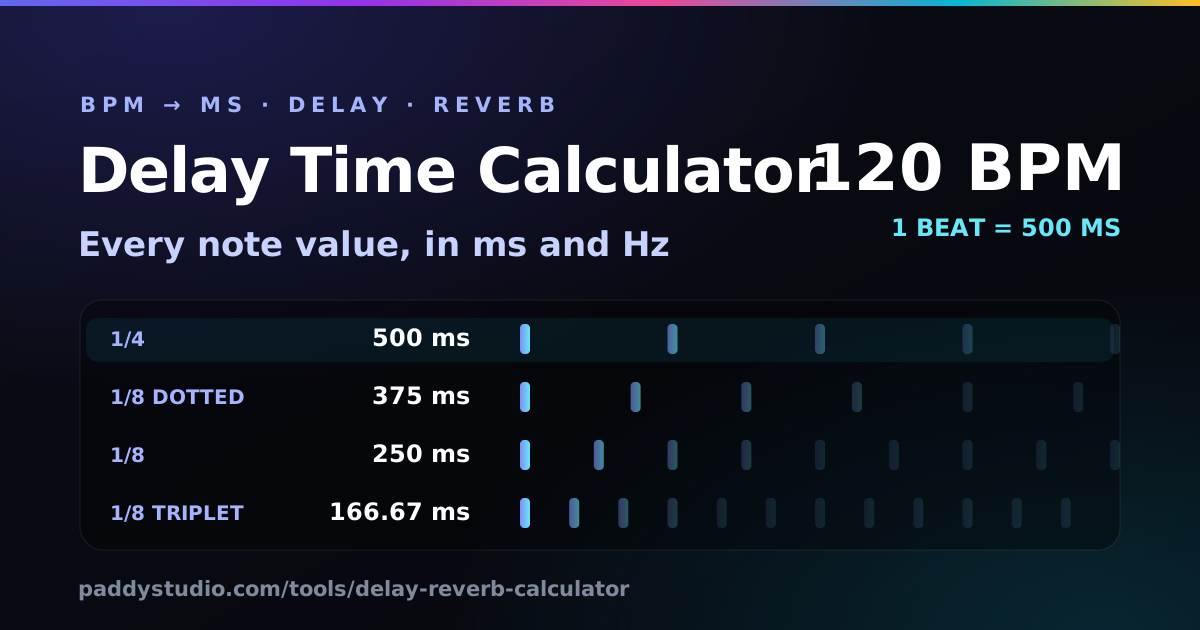
- Dotted = ×1.5, triplet = ×⅔. A dotted eighth at 120 BPM is 375 ms; an eighth triplet is 166.67 ms.
- Hz = 1000 ÷ ms, for syncing LFOs on tremolo, auto-pan and wobbles. A beat at 120 BPM is 2 Hz.
- Reverb: start pre-delay at a 1/64 or 1/128 note (31.25 or 15.63 ms at 120 BPM) and make pre-delay + decay add up to a musical length.
- Going backwards: BPM = 60,000 ÷ ms, if that time is one beat.
How do I use the delay calculator?
Set your tempo, read the milliseconds for the note you want, and paste them into your delay. In a bit more detail:
- Set the tempo. Type the BPM of your song, nudge it with the plus and minus buttons, or tap along with the beat on the Tap button (or the T key).
- Pick a note value. Find the note value you want in the table: straight, dotted or triplet. The highlighted row is one beat. Click any value to copy it.
- Dial it into your delay. Paste the milliseconds into your delay’s time setting. For tremolo, auto-pan or a filter wobble, use the Hz value as the LFO rate instead.
- Set the reverb. Choose a space in the reverb table and copy its pre-delay and decay. Then adjust by ear until the tail stops just before the next phrase.
- Hear it. Press “Hear it” to play a short loop at your tempo through a delay set to your chosen note value, so you can hear how the echoes sit before you commit.
Does your delay have a “sync” button? Then use it: it does this maths for you. The calculator earns its keep on pedals, hardware, older plug-ins, reverbs (which almost never sync their pre-delay) and anything that wants a time in ms or a rate in Hz.
How do you convert BPM to milliseconds?
Divide 60,000 by the BPM. There are 60,000 milliseconds in a minute, and BPM is beats per minute, so 60,000 ÷ BPM is the length of one beat. In most music one beat is a quarter note.
1/4 note (ms) = 60000 / BPM
note (ms)     = 60000 / BPM × 4 × note value
dotted        = × 1.5
triplet       = × 2/3
rate (Hz)     = 1000 / ms
So at 120 BPM: a whole note is 60,000 ÷ 120 × 4 = 2,000 ms, a half note is 1,000 ms, a quarter is 500 ms, an eighth is 250 ms. A dotted eighth is 250 × 1.5 = 375 ms, and an eighth-note triplet is 250 × ⅔ = 166.67 ms.
What are the delay times for common tempos?
Here are the numbers people ask for most, worked out with the formula above. For any other tempo (or for triplets, LFO rates and reverb), use the calculator.
| BPM | 1/4 | 1/8 | Dotted 1/8 | 1/16 | 1 bar (4/4) |
|---|---|---|---|---|---|
| 60 | 1000.00 | 500.00 | 750.00 | 250.00 | 4.000 s |
| 70 | 857.14 | 428.57 | 642.86 | 214.29 | 3.429 s |
| 80 | 750.00 | 375.00 | 562.50 | 187.50 | 3.000 s |
| 90 | 666.67 | 333.33 | 500.00 | 166.67 | 2.667 s |
| 100 | 600.00 | 300.00 | 450.00 | 150.00 | 2.400 s |
| 110 | 545.45 | 272.73 | 409.09 | 136.36 | 2.182 s |
| 120 | 500.00 | 250.00 | 375.00 | 125.00 | 2.000 s |
| 128 | 468.75 | 234.38 | 351.56 | 117.19 | 1.875 s |
| 140 | 428.57 | 214.29 | 321.43 | 107.14 | 1.714 s |
| 150 | 400.00 | 200.00 | 300.00 | 100.00 | 1.600 s |
| 160 | 375.00 | 187.50 | 281.25 | 93.75 | 1.500 s |
| 174 | 344.83 | 172.41 | 258.62 | 86.21 | 1.379 s |
What’s the difference between straight, dotted and triplet delays?
A dotted note is 1.5 times as long as the straight note; a triplet is two thirds as long. They change where the echoes fall against the beat, which changes the whole feel.
- Straight echoes land on the grid. A 1/4 delay repeats on every beat: tidy, and easy to bury in the mix. A 1/8 is busier.
- Dotted echoes land between the beats, so they fill gaps rather than stacking on top of what you played. Dotted eighths are the classic guitar delay.
- Triplet echoes roll and swing. Lovely on a vocal tail or a slow ballad, and the secret ingredient in a lot of reggae and dub.
Why does a dotted-eighth delay sound so good?
Because the echoes land on the sixteenth notes you didn’t play. Play steady eighth notes into a dotted-eighth delay (three sixteenths long) and every repeat falls exactly halfway between two of your notes. Your eighths plus the echoes become a cascade of sixteenths, so a simple part sounds twice as busy and wonderfully hypnotic.
That’s the trick behind The Edge’s guitar sound with U2, most famously the intro to “Where the Streets Have No Name”. Try it: press Hear it above with “1/8 dotted” and “Eighth notes”. Then switch to “1/8” and hear how the magic disappears, because the echoes now land right on top of the notes. I spent an embarrassing evening trying this on my Cort with a cheap pedal set by ear. With the right number it took one minute.
Keep the repeats lower than you think. Two or three audible echoes (roughly 30–45% feedback) and a mix around 30–40% keep it rhythmic. More, and it turns into a wash. Rolling a bit of treble off the repeats helps them sit behind the dry part.
How should I set reverb pre-delay to keep vocals clear?
Give the reverb a short, tempo-related pre-delay, so each word arrives dry before the reverb blooms behind it. Pre-delay is the gap between the dry sound and the start of the reverb. With none, the reverb smears straight over the consonants and the vocal sinks back into the mix. With 20–80 ms, the voice stays upfront and the space still sounds big.
- Start at a 1/64 note (31.25 ms at 120 BPM) for most vocals; a 1/128 for tight, small rooms.
- Going above about 100 ms starts to sound like a separate slapback echo. That can be a lovely effect, but it’s a choice.
- Set decay so pre-delay + decay fit the music: the tail should fade just before the next phrase or the next snare hit. The table above gives tempo-locked starting points.
- Mixing Suno or AI vocals? They often arrive with reverb baked in. Add less than you think, and high-pass the reverb return around 200–300 Hz so it doesn’t muddy the low end.
How do I convert milliseconds back to BPM?
Divide 60,000 by the milliseconds, if that time is one beat. A 500 ms echo is 120 BPM as a quarter note. But a 375 ms echo could be a quarter note at 160 BPM, an eighth at 80 BPM or a dotted eighth at 120 BPM: the ms → BPM box shows every option. It’s handy when you’ve found a delay time you love by ear and want to build a song around it, or when you’re trying to work out what someone else used.
What do the Hz values mean?
They are the note lengths written as rates, for anything with an LFO. Tremolo, auto-pan, chorus, phasers and filter wobbles all wobble at a rate in hertz. Rate = 1000 ÷ ms, so a quarter note at 120 BPM is 2 Hz (two wobbles a second) and a sixteenth is 8 Hz. Set a tremolo to a 1/8 or 1/16 rate and it locks to the groove instead of drifting against it.
Why I built this
I'm a guitarist: a Cort, a lot of enthusiasm, roughly twelve notes. Delay is how I make twelve notes sound like forty. For years I set my delay pedal by turning the knob until it “felt about right”, which meant every song had echoes that were slightly, maddeningly, out of time. I’d hear it on the recording, never in the room.
So here is the cheat sheet I wanted taped to my pedalboard: one tempo, every note value, every variant, click to copy. I added tap tempo because half the time I don’t know the BPM of the Suno track I’m playing over, and the “Hear it” button because a number in milliseconds means nothing to my ears until I hear the echoes dance.
Using tempo and delay in a Suno prompt
Suno doesn’t give you a delay knob, but it does listen to a BPM in the style box and to the names of effects. “Dotted-eighth delay guitar” and “plate reverb on vocals” are well-known production phrases, so they steer the sound much better than “spacey”. This snippet uses your BPM from the calculator:
Anthemic indie rock, 120 BPM, chiming electric guitar with dotted-eighth delay, driving bass, steady live drums, plate reverb on vocals, uplifting, euphoric, wide
Not sure what tempo to ask for? My guide to the best BPM for Suno by genre has a starting tempo for every style. Got the song back and want to know its real tempo? The BPM and key finder reads it from the audio; drop that number in here. You can also lay down your own groove at any tempo with the drum machine, or practise against a metronome.
How it works, and what it does with your data
The numbers are plain arithmetic from the formula above, recalculated as you type and rounded to two decimal places. Tap tempo averages the gaps between your last eight taps. The “Hear it” loop is built with the Web Audio API in your browser: a short plucked blip feeds a DelayNode with a feedback loop and a gentle low-pass filter on the repeats, scheduled slightly ahead so the timing is sample-accurate. The volume is capped well below full scale.
Nothing is uploaded and there’s no account. Your last BPM is saved in your browser’s local storage, on your device only. Want to try your delay and reverb on a real track? The music editor and the slowed + reverb maker both run in the browser, and the LUFS meter checks the loudness when you’re done.
Delay and reverb calculator FAQ
How do I calculate delay time from BPM?
Divide 60,000 by the BPM to get one beat (a quarter note) in milliseconds. Halve it for an eighth note, multiply by 1.5 for a dotted note and by 2/3 for a triplet. At 120 BPM a quarter note is 500 ms.
What is 120 BPM in milliseconds?
At 120 BPM one beat (a quarter note) is 500 ms. An eighth note is 250 ms, a dotted eighth is 375 ms, an eighth-note triplet is 166.67 ms, a sixteenth is 125 ms and one bar of 4/4 is 2 seconds.
What is a dotted eighth delay?
A delay set to three sixteenth notes, which is 0.75 of a beat: 375 ms at 120 BPM. When you play straight eighth notes, the echoes land on the sixteenths in between, giving the cascading rhythm The Edge made famous with U2.
What is a triplet delay?
A triplet delay fits three repeats into the space of two normal notes, so it is two thirds of the straight value. An eighth-note triplet at 120 BPM is 166.67 ms. It gives a rolling, swung feel.
What should my reverb pre-delay be?
Start with a short note value such as a 1/64 or 1/128 note, which at 120 BPM is 31.25 ms or 15.63 ms. Longer pre-delay, up to about 100 ms, keeps vocals clearer because the words get through before the reverb arrives.
How long should reverb decay be?
A good starting point is to make pre-delay plus decay add up to a musical length: about a quarter note for a small room, a half note for a large room and a whole note or more for a hall. Then shorten it until the tail stops clashing with the next phrase.
How do I convert milliseconds to BPM?
Divide 60,000 by the milliseconds to get the BPM if that time is one beat, so 500 ms is 120 BPM. If the time is an eighth note, divide 30,000 by it instead; for a dotted eighth, divide 45,000.
What do the Hz values in the table mean?
They are the same note lengths written as rates, for syncing an LFO on tremolo, auto-pan, chorus or a filter wobble. Hz equals 1000 divided by the time in milliseconds, so a quarter note at 120 BPM is 2 Hz.
How does tap tempo work?
Tap the button, or press T, in time with the beat. After two taps you get a first reading; the calculator then averages the gaps between your last eight taps. Pause for two seconds to start again.
Does the calculator save or upload anything?
It remembers your last BPM in your browser’s local storage, on your device only. Nothing is uploaded, there is no account, and the test sounds are made in your browser.
Tempo sorted? Now write the song.
The free Paddy Prompt Studio builds Suno style prompts and Vidmuse video scripts. Pick a genre, BPM, mood and vocal and it writes the style line for you.
Open the Prompt Studio →