
The short version
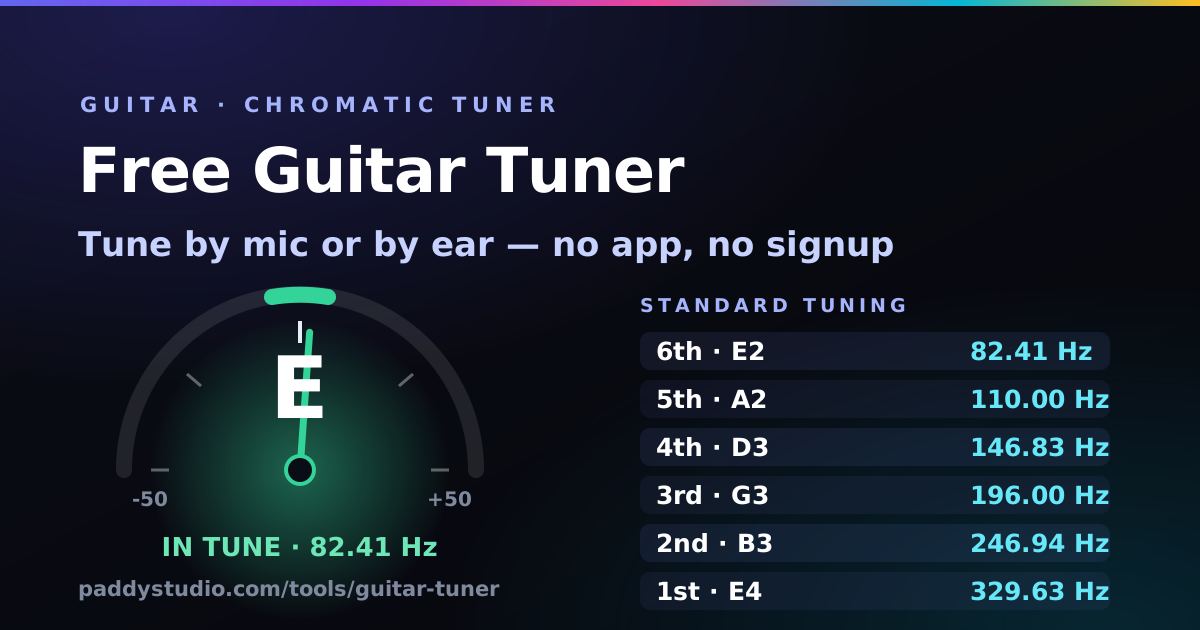
- Standard tuning is E2, A2, D3, G3, B3, E4 — 82.41, 110.00, 146.83, 196.00, 246.94 and 329.63 Hz at A4 = 440 Hz.
- Play one open string at a time and mute the rest; every tuner gets confused by two notes at once.
- Always tune up to the note. A string pulled up into pitch holds; one let down into pitch slips.
- Inside 5 cents is in tune for guitar. Go round all six strings twice, because each one you tighten pulls the neck slightly.
- No microphone? Tap a string pad for a plucked reference tone and match it by ear.
How to tune your guitar with this tuner
- Press “Start microphone” and accept the browser prompt. Audio is analysed on your device; nothing is recorded or uploaded.
- Pick your tuning. Standard is the default; the list also has Drop D, Drop C, Drop B, Open G, Open D, Open E, DADGAD and half or full step down.
- Pluck the thickest string on its own, a little away from the bridge, and let it ring. Rest your palm on the other strings.
- Read the needle half a second after the pluck. The first instant of a pluck is always slightly sharp, so ignore it and watch where the note settles.
- Turn the peg the way the tuner says — “tighten” if you are flat, “loosen” if you are sharp. The needle and note turn green and the pad gets a tick when you are inside five cents.
- Repeat for all six, then start again at the low E. The second pass is the one that makes chords sound right.
No mic, or a noisy room? Tap any string pad to hear that string played back, then match your guitar to it by ear. Keys 1–6 do the same thing, counting the way guitarists do: 1 is the thin high E.
Standard guitar tuning notes and frequencies
Standard tuning is the same on acoustic, electric and classical guitar. Strings are numbered from the thinnest (1st) to the thickest (6th), which is the opposite of how they are usually spoken aloud — “low E to high E”.
| String | Note | Frequency | Interval to next |
|---|---|---|---|
| 6th (thickest, low E) | E2 | 82.41 Hz | Perfect 4th |
| 5th (A) | A2 | 110.00 Hz | Perfect 4th |
| 4th (D) | D3 | 146.83 Hz | Perfect 4th |
| 3rd (G) | G3 | 196.00 Hz | Major 3rd |
| 2nd (B) | B3 | 246.94 Hz | Perfect 4th |
| 1st (thinnest, high E) | E4 | 329.63 Hz | — |
Alternate tuning chart
Every tuning below is built into the selector at the top of the page — choosing one updates the six pads, the reference tones and the target frequencies.
| Tuning | Notes (6th → 1st) | Frequencies (Hz) | Used for |
|---|---|---|---|
| Standard | E A D G B E | 82.41 · 110.00 · 146.83 · 196.00 · 246.94 · 329.63 | Almost everything |
| Half step down | E♭ A♭ D♭ G♭ B♭ E♭ | 77.78 · 103.83 · 138.59 · 185.00 · 233.08 · 311.13 | Easier singing, heavier tone |
| Full step down | D G C F A D | 73.42 · 98.00 · 130.81 · 174.61 · 220.00 · 293.66 | Hard rock, stoner, grunge |
| Drop D | D A D G B E | 73.42 · 110.00 · 146.83 · 196.00 · 246.94 · 329.63 | One-finger power chords, riffs |
| Drop C | C G C F A D | 65.41 · 98.00 · 130.81 · 174.61 · 220.00 · 293.66 | Metalcore, modern metal |
| Drop B | B F♯ B E G♯ C♯ | 61.74 · 92.50 · 123.47 · 164.81 · 207.65 · 277.18 | Djent, deathcore |
| Open G | D G D G B D | 73.42 · 98.00 · 146.83 · 196.00 · 246.94 · 293.66 | Slide, blues, Keith Richards |
| Open D | D A D F♯ A D | 73.42 · 110.00 · 146.83 · 185.00 · 220.00 · 293.66 | Slide, folk fingerpicking |
| Open E | E B E G♯ B E | 82.41 · 123.47 · 164.81 · 207.65 · 246.94 · 329.63 | Delta blues slide |
| DADGAD | D A D G A D | 73.42 · 110.00 · 146.83 · 196.00 · 220.00 · 293.66 | Celtic, modal folk |
Dropping a guitar two or more semitones slackens the strings noticeably. If the strings buzz or the action feels loose in Drop C or Drop B, that is a setup issue, not a tuning one — heavier gauge strings fix it.
Six habits that keep a guitar in tune
- Tune up, never down. Overshoot, drop well below the note, then come up into it.
- Stretch new strings. Pull each new string gently away from the fretboard a few times and retune. Repeat until the pitch stops dropping — otherwise a fresh set goes flat for days.
- Tune in order, twice. Each string you tighten adds tension across the neck and nudges the others flat.
- Retune after a capo, a big bend or a temperature change. A guitar that went from a cold car to a warm room is never still in tune.
- Check the fretted notes, not just the open ones. If open strings read perfect but a chord at the 5th fret sounds wrong, the intonation at the bridge needs adjusting.
- Lubricate a sticky nut. Strings that jump in pitch with a “ping” are binding in the nut slot; a pencil tip of graphite in the slot usually cures it.
How the detection works, and what it does with your audio
The tuner takes the microphone signal, band-limits it so rumble and high harmonics cannot fool the maths, then runs a YIN pitch detector — it compares the waveform against delayed copies of itself to find the period that repeats, and interpolates between samples to land inside about one cent. A short median filter throws out single bad readings, which is why the needle sits still instead of twitching.
All of that happens in the browser using the Web Audio API. No audio is recorded, stored or sent anywhere, there is no account, and pressing “Stop microphone” or closing the tab releases the mic immediately. Once the page has loaded, the reference tones work with no connection at all.
Guitar tuning FAQ
How do I tune my guitar with my phone or laptop?
Open this page, press “Start microphone” and allow mic access. Pluck one open string at a time near the device. The tuner names the string, shows how many cents sharp or flat it is, and tells you to tighten or loosen. No app install and no account needed.
Is an online guitar tuner accurate enough?
Yes for normal playing. This one resolves pitch to roughly one cent in a quiet room, finer than the five cents most people can hear in a chord. The real limit is the instrument: a plucked string is momentarily sharp during the attack and drifts as it decays, so read the needle about half a second after the pluck.
What does “cents” mean?
A cent is one hundredth of a semitone, so 100 cents is one fret. Zero is exactly on pitch, within 5 cents is in tune for guitar, and past about 20 cents a chord starts to sound sour.
Which way do I turn the peg?
Tightening always raises pitch and loosening always lowers it, but the knob direction depends on your machine heads and which side of the headstock the string sits on. Turn a small amount and watch the needle — if it moves the wrong way, turn the other direction.
Why does the reading jump between notes?
It is hearing more than one sound. Mute the other five strings, play a single open string, move closer to the mic, and stop nearby music or fans. Dead or badly buzzing strings confuse every tuner, hardware ones included.
Can I tune without a microphone?
Yes — tap a string pad, or press keys 1–6, to hear a plucked reference tone and match it by ear. Handy when mic permission is blocked or the room is loud.
Does it work for bass or ukulele?
This one is built for six-string guitar, but there are dedicated tuners for both: the ukulele tuner (GCEA, Low G, D and baritone) and the bass tuner, which reads 4, 5 and 6-string bass down to low B and has a 12th-fret harmonic mode for phone mics.
Does it work for oud, saz or sitar?
For the open strings, mostly — but it will call every quarter-tone or koma "out of tune". Use the microtonal tuner instead: it has oud, bağlama and sitar presets and understands 24-TET, 53 komas and shrutis.
Why would I change A4 from 440 Hz?
To match something that cannot move: a piano tuned to 442 Hz, a recording that sits between pitches, or historically informed tuning near 415 Hz. 440 Hz is the modern standard, and everyone playing together has to agree on the same number.
Is my microphone audio recorded or uploaded?
No. Detection happens entirely in your browser, nothing is recorded, and no audio reaches any server.
Recording the part you just tuned?
The free Paddy Prompt Studio builds Suno style prompts and Vidmuse video scripts — handy when you want an AI backing track under a real guitar take.
Open the Prompt Studio →