
The short version
- LUFS measures perceived loudness. It is a K-weighted, gated average defined in ITU-R BS.1770, and 1 LU is the same size as 1 dB.
- Spotify, YouTube, Amazon Music and Tidal are commonly cited at about −14 LUFS, Apple Music at about −16 and Deezer at about −15. Platforms change these, so treat them as approximate.
- Louder than the target just gets turned down. A −9 LUFS master plays on Spotify's default setting about 5 dB quieter, so it gains nothing but the side effects of heavy limiting.
- Keep true peak at or below −1 dBTP for streaming, and nearer −2 dBTP for masters louder than −14 LUFS, so lossy encoding does not clip.
- You do not have to master to −14 LUFS. Master for the music, keep the peaks safe, and let normalisation handle the volume.
- Suno exports are usually loud already. Measure before you master, and do not stack another brickwall limiter on top.
How to check your track's LUFS
- Choose or drop your audio file. WAV is best, because it is exactly what you will send to your distributor. MP3, M4A, FLAC and OGG also work if your browser can decode them.
- Wait for the progress bar. The meter K-weights the audio, measures it in 400 ms and 3 s windows, and oversamples it four times to find the true peak. A three-minute song takes a few seconds.
- Read the big number. Integrated LUFS is the one streaming services normalise on. Then check the true peak card: red means above −1 dBTP.
- Check the platform table. It shows roughly how much each service would turn your track down or up, and the graph shows where the loud and quiet sections sit against your chosen target.
- Compare versions if you like. Press Pin as A, then load a second file. Handy for a Suno export against your mastered version.
Want to know the meter is honest? Press the test tone button. It generates a 1 kHz stereo sine at −14 dBFS on each channel, which should read −14.0 LUFS integrated. That is the same kind of calibration signal the EBU uses to test loudness meters.
What is LUFS?
LUFS (Loudness Units relative to Full Scale) is a measurement of how loud audio sounds to people, not how high its peaks go. It comes from ITU-R BS.1770: the signal goes through a K-weighting filter that roughly copies the ear's sensitivity (less bass, a lift in the upper mids), it is averaged as mean square power, and quiet sections are gated out so a long fade or a silent intro does not drag the number down. LKFS is the same thing under the ITU's name, and one LU (loudness unit) is the same size as one decibel.
Broadcast has used it for years: EBU R128 asks European TV and radio for −23 LUFS. Streaming services took the same idea and use it to match the volume of every song in a playlist.
LUFS vs dB vs RMS: what is the difference?
| Measure | What it tells you | Where it falls short |
|---|---|---|
| dBFS (sample peak) | The single highest sample, relative to digital full scale (0 dBFS) | Says nothing about loudness: one snare hit sets it. Misses peaks between samples. |
| dBTP (true peak) | The highest point of the reconstructed waveform, found by oversampling | Still a peak, not a loudness. It is the right number for clipping safety. |
| RMS | An average level over a window | No frequency weighting and no gating, so heavy bass reads loud and quiet intros drag it down. |
| LUFS | K-weighted, gated average loudness | The closest single number to how loud a track feels. What streaming platforms normalise on. |
Integrated vs short-term vs momentary loudness
- Integrated loudness is the whole track as one number. It is gated twice: blocks quieter than −70 LUFS are ignored, then anything more than 10 LU below the average of what is left. This is the one platforms use.
- Short-term loudness uses a sliding 3-second window. The graph above plots it, and the short-term max is the loudest 3 seconds, usually your biggest chorus.
- Momentary loudness uses a 400 ms window, so it jumps around with individual hits. The maximum is useful for spotting a single huge moment.
What is true peak?
True peak is the highest level the waveform actually reaches once it is turned back into a smooth signal, including the bits between samples. Two neighbouring samples can both sit just under 0 dBFS while the curve between them goes over. A sample-peak meter misses that; a true-peak meter oversamples to find it. This one interpolates at four times the sample rate with a windowed-sinc filter and reports dBTP. Encoding to MP3, AAC or Ogg, which every streaming service does, adds a little more overshoot. That is why −1 dBTP is the usual ceiling.
What is loudness range (LRA)?
Loudness range is how far the loudness moves over the track, in LU. Following EBU Tech 3342, it takes all the short-term values, drops anything below −70 LUFS or more than 20 LU below the average, and measures the spread between the 10th and 95th percentiles, so one quiet breakdown or one massive drop does not decide it. Heavily compressed pop, EDM and rap often land in single digits; acoustic, cinematic and classical music can be much wider. There is no "correct" LRA, but a ballad with almost none has usually been limited too hard.
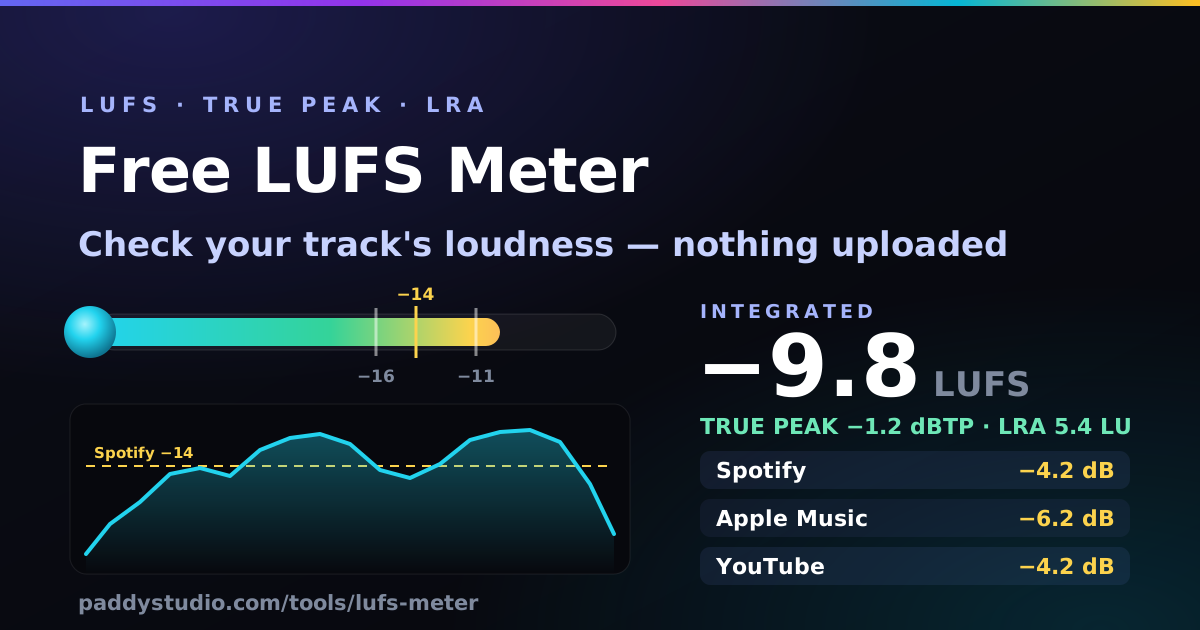
What LUFS do Spotify, Apple Music and YouTube use?
Most music streaming services normalise to somewhere between −14 and −16 LUFS integrated. These are the figures most commonly cited. None of them is a law, and platforms change them, so check each service's own help pages before you obsess over a decimal.
| Platform / standard | Target | Turns quiet tracks up? | Notes |
|---|---|---|---|
| Spotify (Normal, default) | ≈ −14 LUFS | Yes, only as far as peaks allow | Recommends true peak ≤ −1 dBTP, or −2 dBTP for masters louder than −14 LUFS |
| Spotify (Loud) | ≈ −11 LUFS | Yes, with a limiter | A listener setting |
| Spotify (Quiet) | ≈ −19 LUFS | Yes | A listener setting |
| Apple Music | ≈ −16 LUFS | Yes, within limits | Sound Check |
| YouTube | ≈ −14 LUFS | Commonly reported: no | Turns loud uploads down |
| Amazon Music | ≈ −14 LUFS | Approximate | Few public details |
| Tidal | ≈ −14 LUFS | Approximate | |
| Deezer | ≈ −15 LUFS | Approximate | |
| SoundCloud | varies | No fixed normalisation | Plays roughly as uploaded, so loudness matters more here |
| EBU R128 (European broadcast) | −23 LUFS | n/a | A broadcast delivery standard, not a music master target |
Should I master to −14 LUFS?
Not necessarily. Here is the honest bit: because the big platforms normalise, a louder master does not play louder there. It gets turned down to roughly the same level as everything else, and any punch you squashed out of it to make it loud stays squashed. That makes the old loudness war mostly moot for streaming.
But −14 is not a magic number either. Plenty of commercial pop and rock masters sit around −10 to −8 LUFS and sound great after Spotify turns them down, because the mastering engineer kept them clean. A quiet folk song at −16 is fine too: it may get a small lift, or just play a touch quieter. The practical rule:
- Master so it sounds good for the genre, compared at matched volume against tracks you like.
- Keep true peak at or below −1 dBTP (−2 dBTP if you are very loud).
- Do not push past the point where it starts to distort or pump just to win a number.
How to raise or lower your track's loudness
- Too loud? Turning it down is free and harmless: lower the master fader or clip gain in any editor (Audacity, or the free online music editor), then re-export. If the master is already crushed, turning it down will not un-crush it; go back to a less-limited version if you have one.
- Too quiet? Plain gain only goes as far as the peaks. Past that you need a limiter (or gentle compression then a limiter) with the ceiling set to −1 dBTP. Raise it a couple of dB at a time and stop when it starts to sound flat or harsh.
- Peaks too hot? Use a true-peak limiter (one that oversamples) with a −1 dBTP ceiling, or simply lower the gain until the true-peak card here goes green.
- Check after every change by dropping the new export in here and pinning the old one as A.
Why I built this
I am a self-taught guitarist with a Cort, a lot of enthusiasm and no mastering engineer on speed dial. The first time I uploaded a song I spent an evening googling "what LUFS for Spotify", then another one installing a plugin I barely understood. All I actually wanted was one number and a straight answer: is this OK to release?
So this is that. Drop the file in, get the number, and see what the platforms will do with it. I have tried to keep it honest: the targets are approximate, the maths follows the published standards, and if your track is fine the page will say so rather than talking you into a mastering service.
Checking a Suno export before you release it
In my experience Suno exports usually come out loud already, often louder than Spotify's default target. That changes the advice for AI tracks:
- Measure first. Download the WAV, drop it in here and look at the integrated number and true peak before you touch a mastering tool.
- If it is already around −14 LUFS or louder with peaks under −1 dBTP, it is fine. Platforms will turn it down a little. Do not slap another brickwall limiter on top: it adds distortion and gains you nothing after normalisation.
- If the true peak is above −1 dBTP, lower the gain by the difference, or run a true-peak limiter set to −1 dBTP.
- If it sounds harsh or flat, a gentle EQ or a little less loudness usually helps more than more processing.
The release checklist is in how to prepare a Suno track for release, the upload walkthrough is in releasing Suno songs on Spotify with DistroKid, and the distributor side is covered in DistroKid for Suno artists.
Suno does not take loudness instructions reliably, but asking for space in the mix sometimes helps the export breathe. If you want to try it, this is the bit I add to a style prompt:
dynamic mix, natural headroom, punchy but not over-compressed
Open in Prompt Studio →
How it works, and what it does with your audio
Your browser reads the file and decodes it with the Web Audio API. Where the file header says what sample rate it is (WAV, FLAC, MP3, Ogg), the meter decodes at that rate rather than letting the browser resample, and the K-weighting filters are calculated for that exact rate, not just the 48 kHz values printed in the standard. The audio is then measured in small chunks so the page stays responsive: K-weighting, mean square power per channel with the BS.1770 channel weights (left and right count 1.0 each, surrounds 1.41, the LFE channel is ignored), 400 ms blocks every 100 ms, the two gates, the EBU Tech 3342 loudness range and a 4x-oversampled true peak.
I checked it against the EBU's reference signals: a 1 kHz stereo tone at −23 dBFS reads −23.0 LUFS, the gating tests land within 0.1 LU, and the loudness-range tests within 0.1 LU. A 0 dBFS 1 kHz sine on a single channel reads −3.0 LUFS, as the standard says it should.
Nothing is uploaded, stored or sent anywhere. There is no account. The only thing saved is your chosen target and the dual-mono setting, in your browser's local storage. Closing the tab throws the decoded audio away.
Lossy files (MP3, M4A, OGG) are measured after your browser's decoder, which can differ slightly from the one in your DAW, so expect a few tenths of a dB of difference. Measure the WAV you will actually send to your distributor whenever you can.
LUFS and loudness FAQ
What is LUFS?
Loudness Units relative to Full Scale: a measure of perceived loudness defined in ITU-R BS.1770. The audio is K-weighted to mimic the ear, averaged, and gated so silence does not drag it down. One LU equals one dB, and LKFS is the same unit under the ITU's name.
What LUFS should I master to for Spotify?
Spotify's default target is commonly cited as about −14 LUFS integrated, with true peaks at or below −1 dBTP (−2 dBTP for masters louder than −14 LUFS). You do not have to hit it: louder tracks are turned down, and quieter ones may be turned up if their peaks allow.
Should I master my song to exactly −14 LUFS?
Not necessarily. Normalisation means a louder master will not play louder on most platforms, so the main reason to aim near −14 is to avoid squashing the music for nothing. Many commercial pop and rock masters sit around −10 to −8 LUFS and are simply turned down. Master for the music, keep true peaks under −1 dBTP, and check it here.
What is the difference between LUFS, dB and RMS?
Peak dBFS is the single highest sample, not loudness. RMS is an average with no frequency weighting or gating, so bass and silence skew it. LUFS is an average weighted towards what the ear hears as loud and gated to ignore silence, which is why streaming services use it.
What is true peak and why −1 dBTP?
True peak estimates the highest point the waveform reaches between samples, found by oversampling. A file can stay under 0 dBFS on every sample and still overshoot between them, and MP3, AAC and Ogg encoding adds more. A −1 dBTP ceiling leaves room so the streamed version does not clip.
What is a good loudness range (LRA)?
There is no single good value. LRA describes how much the loudness moves. Compressed pop, EDM and rap often land in single digits; acoustic, cinematic and classical can be much wider. A very low LRA on a ballad can mean it has been limited too hard.
Why does this meter read slightly differently from my DAW?
Usually decoding, not maths. Browsers decode MP3, AAC and Ogg with their own decoders, some formats may be resampled, and true-peak meters use different interpolation filters. Mono files are measured as one channel by default, about 3 dB lower than the same audio duplicated to stereo; tick the dual-mono option to match that.
Are Suno songs too loud for Spotify?
Suno exports usually come out loud already, so Spotify will typically just turn them down a little. Measure the export first. If it is near or above −14 LUFS with peaks under −1 dBTP, it is fine to release. Avoid stacking another brickwall limiter on top.
Is my audio file uploaded anywhere?
No. Your browser decodes the file with the Web Audio API and the measuring happens in JavaScript on your device. Nothing is uploaded, stored or sent, and closing the tab discards the decoded audio.
Making the next track?
The free Paddy Prompt Studio builds Suno style prompts and Vidmuse video scripts: genre, vocals, BPM, instruments and mood, ready to paste.
Open the Prompt Studio →