
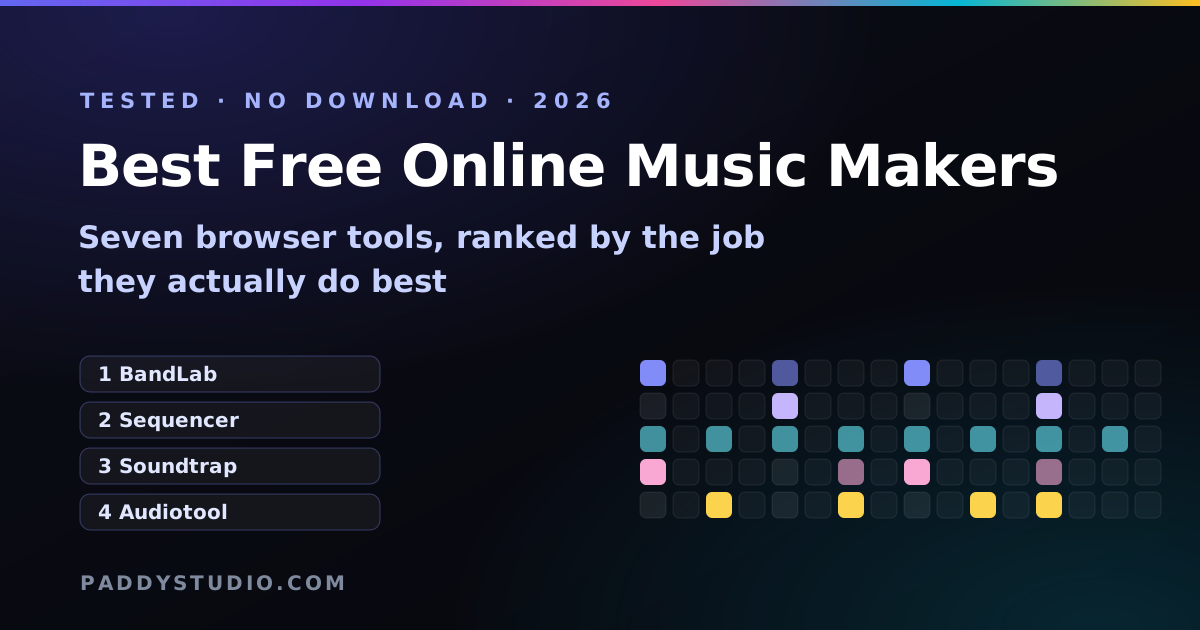
I'm a self-taught guitarist who learned on a borrowed, half-broken guitar, so I have a soft spot for anything that lets you make music without spending money first. Browser music makers are exactly that. No install, no 9 GB sample library, no “please restart your computer”. You open a tab and you're making noise.
The short answer: for a full song with vocals, use BandLab (free, generous, account needed). For a beat or a loop in under five minutes with no account at all, use a no-signup online music sequencer or drum machine. For kids and absolute beginners, Chrome Music Lab Song Maker. For a finished track from a sentence, an AI generator like Suno. Everything else is a variation on those four jobs.
Key takeaways
- “Free” means four different things: free forever, free with limits, free trial, and free-but-you-pay-with-your-email. Know which one you're signing up for.
- Best all-round free online music maker: BandLab. Multitrack, vocals, loops, mixing, no price tag.
- Best for zero friction: tools that need no account. You can make and download a beat before a sign-up page would even load.
- Best for learning: Chrome Music Lab for the very first steps, then a step sequencer, then a browser DAW.
- Best for “I just want a song”: an AI music generator. You direct it rather than play it.
- Check the export. A music maker that won't give you a WAV or MP3 on the free plan is a demo, not a tool.
What counts as an “online music maker”?
Anything that lets you build music in a web browser without installing software. That covers three quite different kinds of tool, and choosing the wrong kind is the number one reason people give up in the first ten minutes:
- Sequencers and beat makers. A grid. You click squares, it loops. The fastest way to make a groove, and the easiest to understand. (If the word is new to you, here's what a music sequencer is, in plain English.)
- Browser DAWs. A full “digital audio workstation” in a tab: tracks, a timeline, recording, effects, mixing. More power, more buttons, more time.
- AI music generators. You type a description and get a finished track back. Fast and impressive, but you steer rather than place each note.
Is there free music making software online?
Yes, and you’re reading a list of it. “Music making software” used to mean a DVD and a dongle. Now the same idea runs in a browser tab: free music making software online covers everything from full studios like BandLab to tiny one-job tools like a beat maker, an online instrument or a music editor that trims and fades a song. The trade-off versus installed software is simple: browser tools start instantly and work on any computer, but desktop programs have more power, more sounds and no internet required.
If you’d rather install something proper, I’ve done the same comparison for desktop apps in the best free music production programs (GarageBand, Cakewalk Sonar, Waveform Free and friends).
The best free online music makers, ranked by job
Free plans change a lot, so treat the limits below as a snapshot from October 2026 and check each site before you rely on them. What doesn't change is what each tool is for.
1. BandLab — best free online music maker overall
BandLab is the one I recommend to most people who want to make a whole song. It's a proper multitrack studio in the browser (and on phones), with loops, virtual instruments, vocal recording, effects and a mixer, and the core of it costs nothing. You do need an account, and your projects live in their cloud.
Best for: full songs with vocals, recording a guitar or voice, collaborating with a mate. Not great for: a quick idea at 1 a.m., because there's an account and a project to set up first.
2. Paddy's Music Sequencer — best for a loop in five minutes, no account
Bias alert: I built this one, because I wanted something in between a drum machine and a full DAW. The online music sequencer has drums, bass, chords and a lead melody on one grid, locked to a scale so you literally can't play a wrong note. It needs no account, nothing is uploaded, and it exports WAV and MIDI. The party trick is a button that turns your loop into a ready-made Suno style prompt, so you can hand your idea to an AI band.
Best for: beginners, sketching a groove, people who hate sign-up forms. Not great for: recording vocals or arranging a five-minute song.
3. Soundtrap — best for schools and classrooms
Soundtrap is a polished browser DAW that's especially popular in schools, with an education version teachers can manage. The free tier is more limited than BandLab's, with paid plans unlocking more projects, sounds and features. If your teacher already uses it, use it; everyone else should compare the free limits first.
Best for: students, classrooms, podcasts. Not great for: people who want everything free forever.
4. Audiotool — best for synth nerds
Audiotool is a free browser studio built around virtual hardware: drum machines, synths and effects you wire together with patch cables on screen. It's gorgeous and very deep. It's also the one most likely to make a beginner close the tab in a panic.
Best for: electronic music, people who like knobs. Not great for: your very first beat.
5. Chrome Music Lab Song Maker — best for kids and first-timers
Google's Song Maker is a colourful grid where every square is a note. No account, nothing to learn, and it's genuinely delightful. It's also deliberately simple, so it's a first step rather than a place to finish songs.
Best for: kids, classrooms, “what is music even”. Not great for: anything you'd want to release.
6. Soundation and Amped Studio — the other browser DAWs
Both are capable timeline-based studios with free tiers and paid upgrades. They're worth a look if BandLab's workflow doesn't click for you, but for most beginners they cover the same job, and the free tiers are tighter.
7. Suno — best for a finished song from a sentence
Not a music maker in the old sense: you describe the track and an AI generates it, vocals and all. Suno has a free tier with a daily credit allowance (I've written up exactly what's free on Suno), and paid plans add credits and commercial rights. It pairs brilliantly with the tools above: sketch the groove and chords yourself, then prompt the AI to perform it.
Side by side
| Tool | Type | Account to start? | Best for | Learning curve |
|---|---|---|---|---|
| BandLab | Browser DAW | Yes | Full songs with vocals | Medium |
| Paddy Music Sequencer | Multi-track sequencer | No | A loop in five minutes, Suno prompts | Low |
| Paddy Drum Machine | Beat maker | No | Drum patterns and WAV loops | Very low |
| Soundtrap | Browser DAW | Yes | Schools, podcasts | Medium |
| Audiotool | Modular studio | To save | Synths and electronic music | High |
| Chrome Music Lab | Note grid | No | Kids, absolute beginners | Very low |
| Suno | AI generator | Yes | Finished songs from a prompt | Low (to start) |
Which free music maker should you pick?
- “I've never made music and I'm scared of buttons.” Chrome Music Lab for ten minutes, then the music sequencer.
- “I want to make a beat.” The online beat maker, then my step-by-step guide on how to make a beat online.
- “I want to record my voice or guitar.” BandLab. Tune up first with a guitar tuner, please, for everyone's sake.
- “I want a finished song tonight.” Suno, with a prompt built in the free Prompt Studio.
- “I want to play melodies.” The online music keyboard, then loop what you found in the sequencer.
- “I want to bash some drums or play a xylophone.” The online instruments: drum pads, xylophone, kalimba and guitar, with a no-wrong-notes mode.
- “I just need to cut a song down.” The free online music editor: trim, fade, download.
- “I'd rather install a proper program.” See the best free music production programs.
- “I teach music.” See my free toolkit for online music lessons.
My actual workflow: chords from the chord generator, groove in the sequencer, one button to turn it into a Suno prompt, then a real guitar part played over the result. The browser does the boring bits; I do the bit that makes me grin.
Five things to check before you commit to any music maker
- Can you export for free? WAV or MP3 at minimum. MIDI is a bonus that lets you move your notes into any other app.
- Who owns what you make? Read the terms, especially for AI tools, where commercial rights often depend on the plan. My guide to selling Suno songs covers that maze.
- Where do your projects live? Cloud tools are handy until the free tier caps your project count. Local tools never lose your stuff to a pricing change.
- Does it work on your device? Most browser music makers want Chrome or Edge on a laptop. Phones vary a lot.
- Can you make something in ten minutes? If not, it's the wrong tool for now. Come back to it later.
Frequently asked questions
What is the best free online music maker?
For most people, BandLab: it is a full multitrack studio in the browser with loops, instruments, vocal recording and mixing, and the core is free with an account. If you want to start in seconds without an account, a browser sequencer or drum machine such as the free tools on paddystudio.com is faster. For a finished song from a text description, an AI generator like Suno is the quickest route.
Is there free music making software online?
Yes. Free music making software online runs in a browser tab with nothing to install: BandLab, Soundtrap and Audiotool are full browser studios, Chrome Music Lab Song Maker is a simple note grid, and the Paddy Studio sequencer, drum machine, piano and online instruments need no account at all. If you’d rather install a program, GarageBand, Cakewalk Sonar and Waveform Free are free desktop options.
Can I make music online for free without downloading anything?
Yes. Browser music makers run entirely in a web page, so there is nothing to install. Sequencers, drum machines, online keyboards and full browser DAWs like BandLab, Soundtrap and Audiotool all work in a modern browser such as Chrome, Edge, Firefox or Safari.
Which online music maker needs no sign-up?
Chrome Music Lab Song Maker and the Paddy Studio music sequencer, drum machine and piano keyboard all work with no account at all. Most full browser DAWs, including BandLab and Soundtrap, ask you to create an account so they can save your projects in the cloud.
Is BandLab or Soundtrap better for beginners?
BandLab is usually the better free choice because more of it is free. Soundtrap is polished and widely used in schools, so if your class or teacher already uses it, stick with it. Both are timeline-based studios, so beginners who only want a beat may find a step sequencer quicker to learn first.
What is the easiest way to make a beat online?
Use a step-sequencer beat maker: put a kick on beat 1 and 3, a snare on 2 and 4, and a hi-hat on every eighth note, then set the tempo. That gives a working beat in about a minute. My step-by-step beat guide takes it further.
Can I sell music I make with a free online music maker?
Usually yes for your own compositions, but it depends on the tool's terms and on any loops or samples you used. Sounds synthesised by the tool itself, like those in the Paddy sequencer and drum machine, carry no sample licence. AI generators often tie commercial rights to a paid plan, so always check the terms.
Is an AI music generator a music maker?
It is a different kind of music maker. Instead of placing notes yourself you describe the result and the AI performs and produces it. Many creators combine both: they sketch chords and a groove in a sequencer, then describe it to an AI like Suno to generate a full track.
Can I make music online with friends?
Yes. BandLab lets up to 50 people work on the same project in the browser or on a phone, and Soundtrap supports real-time co-editing. For playing live together, apps like Jamulus and SonoBus stream audio with very low delay. My guide on how to collaborate on music remotely walks through the set-up.
Make your first loop right now, no account needed
The free Paddy music sequencer puts drums, bass, chords and a melody on one grid, locked to a scale so it always sounds good. Then one click turns it into a Suno prompt.
Open the music sequencer →