
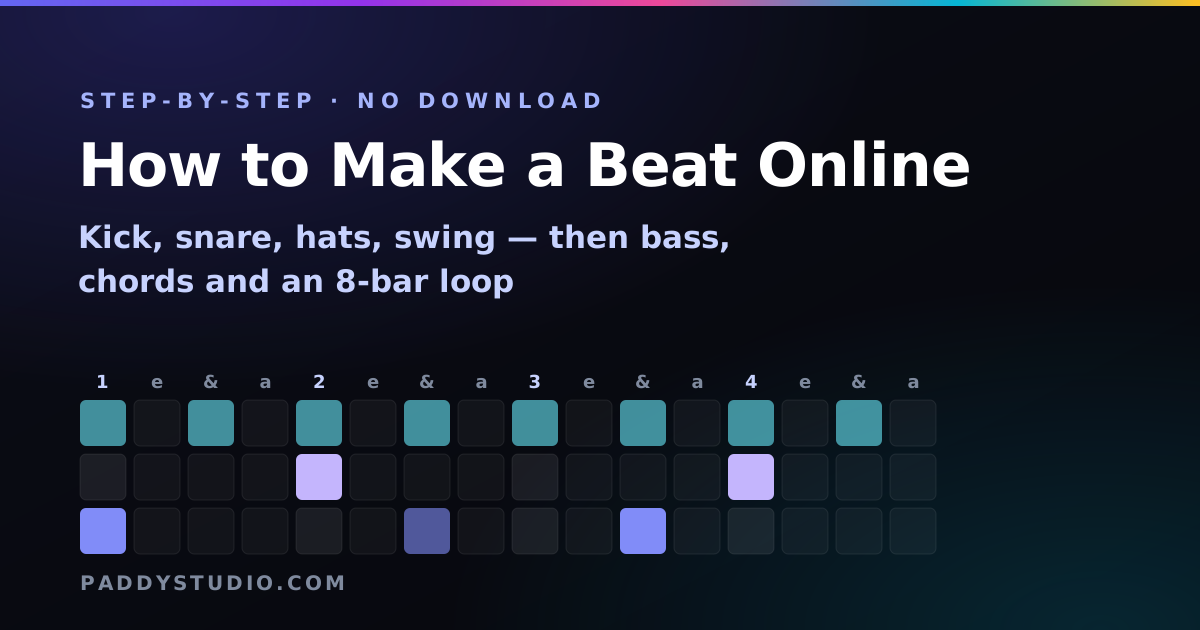
I came to music through a borrowed guitar, not a drum machine, so the first time I programmed a beat I made every classic mistake: everything on the grid, everything the same volume, every square full. It sounded like a fax machine having a panic attack. These steps are what fixed it.
The short answer: open a free online beat maker, put a kick on beat 1 and beat 3, a snare on beats 2 and 4, and a closed hi-hat on every eighth note. Set the tempo for your genre, accent a few hits, move one kick off the beat, and add a little swing. That’s a real beat. Add a bassline and chords in a music sequencer to turn it into a track.
Key takeaways
- The universal starter: kick on 1 and 3, snare on 2 and 4, hats on every eighth. Steps 1, 9 / 5, 13 / every other step.
- Tempo sets the genre more than any single hit: lo-fi 70–90, hip-hop 85–95, pop 100–115, house 120–128, trap 140 half-time.
- Four fixes for a robotic beat: accents, one off-beat kick, fewer hits, a bit of swing.
- Bass follows the kick and plays the root of each chord. Lock those two together and it sounds “produced”.
- An 8-bar loop with one change (a fill, a drop, a new hat pattern) beats a 4-minute song with none.
Before you start: two minutes of setup
- Pick your tool. For drums only, the drum machine. For drums plus bass, chords and melody, the music sequencer. Both are free, no signup, nothing to install. (Shopping around? Here are the best free online music makers.)
- Use headphones. Laptop speakers don’t do bass. You will think your kick is missing. It isn’t.
- Learn the count. One bar has 16 steps, counted 1 e & a, 2 e & a, 3 e & a, 4 e & a. Steps 1, 5, 9 and 13 are the beats you clap along to.
Step 1: Put the kick on beat 1
Every beat starts here. Tap step 1 of the kick row and press play. Thump. Thump. Thump. Riveting, I know. Now add step 9 (beat 3). That’s the “walking” pulse behind rock, pop and hip-hop. Want dance music instead? Put kicks on 1, 5, 9 and 13: that’s four-on-the-floor, the heartbeat of house and techno.
Step 2: Snare (or clap) on beats 2 and 4
Tap steps 5 and 13 of the snare row. This is the backbeat, and it’s the reason people nod their heads. Kick-snare-kick-snare is the skeleton of an enormous amount of music. For trap and drill, try a single snare on step 9 instead: that’s the half-time feel, which makes a fast tempo feel slow and heavy.
Step 3: Hi-hats to fill the gaps
Tap every other square on the closed hi-hat row (steps 1, 3, 5…15). Those are eighth notes and they glue everything together. Every square gives driving sixteenths. For trap, add little rolls: three or four hats in a row right before the snare.
| Genre & BPM | Kick | Snare / clap | Hi-hat |
|---|---|---|---|
| Pop / rock, 100–120 | X-------X------- | ----X-------X--- | x-x-x-x-x-x-x-x- |
| Boom bap, 85–95 | X-----x---X----- | ----X-------X--- | x-x-x-x-x-x-x-x- |
| House, 120–128 | X---X---X---X--- | ----X-------X--- | --x---x---x---x- (open) |
| Trap, 130–145 | X-----x--X-x---- | --------X------- | X-x-x-x-X-x-xxxx |
| Lo-fi, 70–90 | X-----x---X----- | ----x-------x--- | x-x-x-x-x-x-x-x- |
| Reggaeton, ~95 | X-------X------- | ---x--x----x--x- | x-x-x-x-x-x-x-x- |
All of these are presets in the drum machine, so you can load one, hear it, then break it.
Step 4: Set the tempo
Drag the BPM slider. Same pattern at 90 BPM is hip-hop; at 170 it’s halfway to drum and bass. Tempo is the single biggest genre switch you have. My BPM cheat-sheet by genre has the full list, and the BPM & key finder will tell you the tempo of a song you want to sound like.
Step 5: Make it groove, not march
If your beat sounds like a robot doing star jumps, it’s one of these four things. Fix them in this order:
- Accents. Tap a square twice to make it louder. Accent the kick on 1 and the hats that land on the beat. Real drummers never hit everything the same.
- One kick off the grid. Move a kick from beat 3 to step 7 (the “& of 2”) or step 11. That one syncopation is the difference between a metronome and a groove.
- Fewer hits. Delete things until it feels too empty, then add one back. Space is an instrument.
- Swing. Push it to 15–25% for hip-hop, lo-fi and funk. Leave house and techno straight.
Ghost notes: one quiet snare (single tap, not an accent) on the step just before beat 4. It’s the cheapest funk upgrade in the world.
Step 6: Add a bassline
Switch to the music sequencer (your beat goes on the 🥁 tab) and open 🎸 Bass. The rows are notes in your key, with the root glowing. Put a bass note everywhere the kick is. Seriously, that’s it. Kick and bass hitting together is the “how is this so punchy?” secret of half the songs on the radio.
Step 7: Add chords for mood
On the 🎹 Chords tab, each row is a whole chord that fits your key, labelled like vi · Am. Put one chord at the start of each half bar over two bars:
- Happy / pop: I – V – vi – IV (C G Am F in C major)
- Moody / lo-fi: i – VI – III – VII (Am F C G in A minor)
- Dark / trap: i – VI (a two-chord loop in harmonic minor, menacing as anything)
Then go back to the bass and move each bass note onto the root of the chord above it (the letter in the chord label). Now the drums, bass and chords are all agreeing with each other. The chord progression generator has dozens more progressions by mood.
Step 8: Turn a loop into an 8-bar section
A loop gets boring after about eight bars. You don’t need a whole arrangement; you need one change:
- A fill in the last bar: a few toms or snares on steps 13–16.
- A drop: mute the drums for one bar, then bring them back with a crash. Instant hype.
- A new hat pattern for the second half: eighths to sixteenths.
In the music sequencer, set the loop to 4 bars and edit bar 4 differently. Copy the loop link and you can come back to it any time.
Step 9: Export it, or hand it to an AI band
- WAV for video editors, social clips and sampling.
- MIDI for opening the notes in a full DAW and swapping in fancier sounds.
- A Suno prompt. The sequencer’s Suno panel writes a style prompt from your beat (genre, BPM, key, progression, drum feel), and Open in Prompt Studio lets you refine it. My guide on writing Suno style prompts explains the rest.
The five beginner mistakes (I made all of them)
- Filling every square. More hits isn’t more energy. It’s more mush.
- Kick and bass fighting. If they land on different steps all the time, the low end sounds muddy. Line them up.
- Wrong tempo for the genre. A trap pattern at 95 BPM just sounds lost.
- Judging bass on laptop speakers. Headphones, always.
- Never finishing. Export the loop, name it, move on. Your tenth beat will be ten times better than your first. Mine certainly was.
Frequently asked questions
How do I make a beat online for free?
Open a free browser beat maker such as the Paddy drum machine, press play and tap squares on the grid: a kick on steps 1 and 9, a snare on steps 5 and 13, and closed hi-hats on every other step. Set the tempo, accent a few hits and add a little swing, then download the beat as a WAV. No account or download is needed.
What is the easiest beat to make for a beginner?
The basic rock and pop beat: kick on beats 1 and 3, snare on beats 2 and 4, and a closed hi-hat on every eighth note, at around 100 to 110 BPM. On a 16-step grid that is kick on steps 1 and 9, snare on 5 and 13, and hats on every odd step.
What BPM should my beat be?
Roughly: lo-fi 70 to 90, boom bap hip-hop 85 to 95, reggaeton about 95, pop 100 to 115, rock 110 to 130, house 120 to 128, techno 125 to 135, trap 130 to 145 with a half-time snare, UK drill 138 to 145 and drum and bass 170 to 175.
How do I make my beat sound less robotic?
Accent the hits on the main beats, move one kick onto an off-beat step such as the "and" of 2, delete a few hits so the pattern breathes, and add 15 to 25 percent swing for hip-hop, lo-fi or funk. Everything at the same volume and exactly on the grid is what sounds robotic.
How do I add a bassline to a beat?
Put a bass note wherever the kick drum plays, using the root note of the current chord. In the Paddy music sequencer the bass rows are already in your key and the root row is highlighted, so start there and add movement once the kick and bass are locked together.
Can I make beats online without downloading anything?
Yes. Browser beat makers, drum machines and sequencers run entirely in a web page. You can make, play and export a beat as WAV or MIDI without installing software.
Can I sell beats I make online?
Generally yes, if the sounds are licensed for it. Beats made with the Paddy drum machine and sequencer use sounds synthesised in your browser, so there is no sample licence attached. If you use loops or samples from elsewhere, check their licence before selling.
How long should a beat be?
For practice and sketches, a 2 to 8 bar loop is plenty. A full instrumental for a song usually runs 2 to 4 minutes, built from sections such as intro, verse, chorus and bridge that change the drums, bass or chords to keep it interesting.
What is the best browser-based DAW for beginners?
BandLab is the best free browser-based DAW for most beginners: multitrack recording, loops, instruments and mixing with nothing to download. If you only want a beat, start with a step-sequencer drum machine, which takes minutes to learn, and move to a browser DAW when you want vocals and full arrangements. My comparison of free online music makers covers the alternatives.
Your beat is waiting in a browser tab
The free Paddy music sequencer has the drum grid, plus bass, chords and melody locked to your key. Load a genre starter and start changing squares.
Make a beat now →