
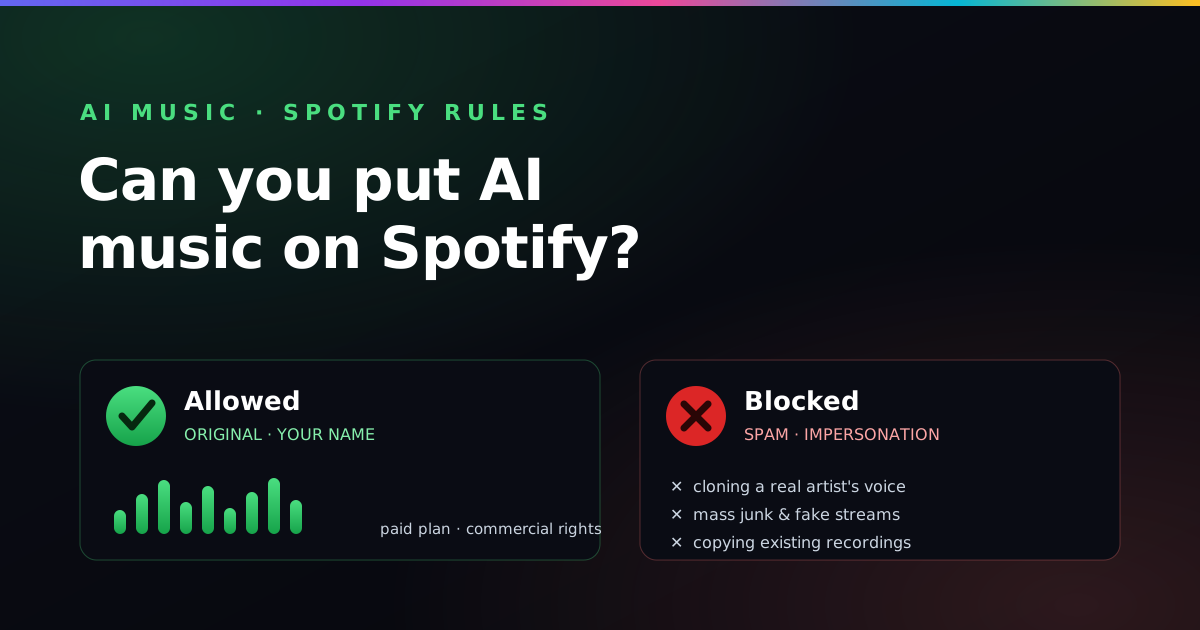
Yes, you can put AI music on Spotify. An original song made on a paid Suno plan, which gives you commercial-use rights, can be released through a distributor such as DistroKid. Spotify and DistroKid don’t ban AI music; they remove impersonation, voice cloning, spam and fake streams. Answer any AI-disclosure question honestly and you’re sweet.
A lot of people assume streaming platforms quietly ban AI music. They don't. Spotify, Apple Music and the rest are full of AI-assisted tracks, and DistroKid distributes them every day. What the platforms actually police is behaviour, not the tool: spam uploads, fake streams, and pretending to be someone you're not. Learn those three lines and you can release a Suno song with confidence.
The short version: what's in, what's out
- Allowed: original AI-assisted songs released under your own name
- Not allowed: impersonating a real artist or cloning their voice
- Not allowed: spam, mass junk uploads, and fake/fraudulent streaming
- Required: commercial-use rights — a paid Suno plan — to release and monetize
- Smart: answer any AI-disclosure question honestly at upload
The rule that actually matters
Neither Spotify nor DistroKid has a blanket “no AI” policy. The enforcement is aimed at a few specific abuses, and they are the same ones that would get a fully human track removed:
- Impersonation and voice cloning. You cannot release music as another artist, or use AI to mimic a recognisable real person's voice without permission. This is the fastest way to get pulled — and it is also against Suno's own rules.
- Spam and artificial streaming. Flooding stores with low-effort uploads to game royalties, or buying bot streams, gets accounts terminated. Quality and honesty, not volume, are the goal.
- Infringement. Don't paste in copyrighted lyrics or try to recreate an existing recording. Originality keeps you clear.
Notice what is not on that list: “the song was generated by AI.” That, by itself, is fine. Nobody at Spotify is checking whether you can play a barre chord. Thank goodness.
Step one is rights, not rules
Before a platform policy is even relevant, you need the right to sell the track at all. Suno's free tier is personal-use only; a paid plan grants the commercial-use rights that let you distribute and earn. That is the single most important box to tick, and it is covered in full in can you sell Suno songs? If you released a free-tier track commercially, the problem would be your licence — not Spotify's AI stance.
Where DistroKid fits
You can't upload directly to Spotify yourself — you go through a distributor, and DistroKid (affiliate link) is one of the most common. It accepts AI-assisted music under the same conditions above: you hold the rights, the track is original, and it isn't impersonation or spam. The distributor is also where any AI-disclosure question tends to appear, so read the upload form rather than clicking through it. And if you're only ever releasing one song, compare the yearly-fee model against pay-per-release first — I lay out the trade-offs honestly in DistroKid for Suno artists.
Disclosure: answer honestly
The industry is moving toward labelling AI involvement, and the exact requirements are still settling and vary by platform. The safe approach is simple: if an upload form asks whether AI was used, answer accurately. Being upfront costs you nothing and protects the release from being removed later for a mismatch. Guessing or hiding it is the risk.
How to stay firmly on the safe side
Put together, the recipe for a release that sticks is short. Generate on a paid Suno plan. Keep the song original — no famous-artist prompts, no borrowed lyrics. Release under your own artist name with accurate metadata. Disclose AI use where asked. Do that and your track is as welcome on Spotify as any other. For prompts that sound distinctive without leaning on a real artist's name, see how to write a Suno style prompt and the mistakes to avoid. When you're ready to ship, the full upload walkthrough is in how to release your Suno songs on Spotify with DistroKid.
This is general information, not legal advice. AI-music policies are evolving and differ by country and platform — confirm against Suno's terms, DistroKid's content policy and Spotify's current rules before releasing.
Where this comes from
- Suno’s Terms of Service (suno.com)
- DistroKid’s help pages and content rules (distrokid.com)
- Spotify for Artists (artists.spotify.com)
- Paddy’s own experience as a hobbyist putting his own music out
Last checked by Paddy on 24 October 2026. AI-music rules move faster than a seagull near hot chips (I have lost chips this way), so double-check before you pay for anything.
Frequently asked questions
Is AI music allowed on Spotify?
Spotify does not ban AI-assisted music. What it targets is spam, mass-uploaded junk, and tracks that impersonate a real artist or use an AI clone of someone's voice without permission. An original Suno song delivered through a legitimate distributor is allowed, provided it follows those rules.
Will DistroKid distribute Suno songs?
Yes. DistroKid distributes AI-assisted music as long as you have the rights to the track and it does not impersonate another artist, clone a protected voice, or amount to spam. You need commercial-use rights, which means generating on a paid Suno plan.
Can your AI music get taken down from Spotify?
It can, if it breaks the rules — impersonating an artist, using a cloned voice, copying existing recordings, or being flagged as spam or fraudulent streaming. Releasing original tracks under your own name, with accurate metadata, on a paid Suno plan keeps you on the safe side.
Do you have to label AI music on Spotify?
Disclosure rules are still developing and differ across distributors and stores. Some ask you to indicate AI involvement at upload. Check DistroKid's current form and Spotify's policy, and answer accurately — it protects the release from later removal.
Can I put a song from Suno's free plan on Spotify?
Not commercially. Suno's free tier is personal-use only. To distribute a song to Spotify and earn from it you need commercial-use rights, which come from generating the track on a paid Suno plan.
Can I upload AI music to Spotify directly?
No. You can't upload directly to Spotify yourself; you go through a distributor such as DistroKid. DistroKid accepts AI-assisted music when you hold the rights, the track is original, and it isn't impersonation or spam.
Start with a song that sounds like you
The safest release is an original one. The free Suno Profiler builds clean, distinctive style prompts that don't lean on any real artist's name, so there's nothing to impersonate and nothing to get pulled.
Build my style prompt →