
Suno is good enough that the gap between a flat track and a great one is usually you, not the model. The same mistakes show up constantly — and almost every one has a fix you can apply in seconds. Run through this list before your next generation.
Key takeaways
- Write comma-separated tags, not full sentences — Suno thinks in tags.
- Lead with the genre: Suno weights your earliest tags most heavily.
- Name two or three signature instruments, not ten.
- Never name a famous artist; describe the sonic DNA instead.
- Always state a BPM, and keep sound words out of the lyrics box.
- Label sections with structure tags so Suno doesn't guess the arrangement.
1. Writing prompts as full sentences
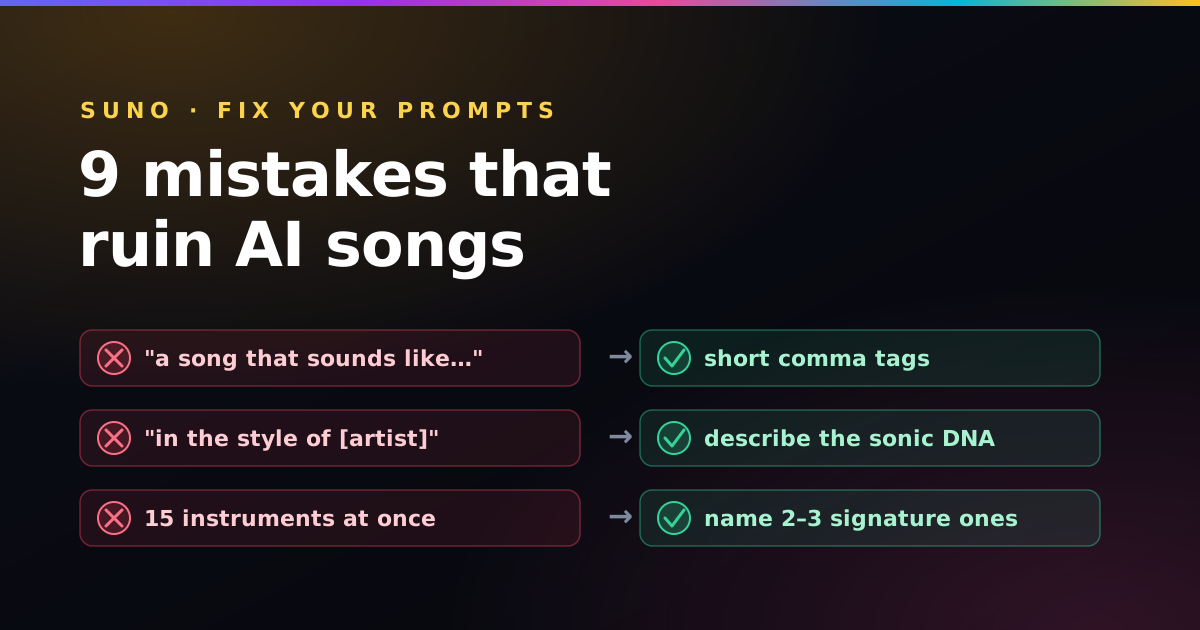
"A high-energy synth-pop song that sounds like the 1980s with drums" wastes most of its space on filler words and often gets truncated. Suno thinks in tags, not prose.
Fix: compress to comma-separated tags — 1980s synth-pop, energetic, 118 bpm, drum machine, gated reverb. Same meaning, double the density.
2. Putting the genre last
Suno weights your earliest tags most heavily. Start with instruments or mood and the track never commits to a style.
Fix: lead with the core genre, then sub-genre and mood, then tempo, then instruments. The five-part style formula walks through the exact order.
3. Listing ten instruments
Cramming every instrument you like into one prompt produces a muddy, crowded mix where nothing stands out.
Fix: name two or three signature instruments and let Suno fill the rest. 808 bass, crisp hats, orchestral strings beats a wall of ten.
4. Naming a famous artist
"In the style of Drake" gets filtered out — named artists and brands are blocked.
Fix: describe the sonic DNA instead. For a French-house feel: french house, 124 bpm, talkbox vocals, filtered disco guitar, four-on-the-floor drums.
5. Ignoring tempo entirely
Leave out a BPM and Suno guesses — often landing on a tempo that fights your genre.
Fix: always state a number. Not sure which? The BPM cheat-sheet by genre gives a sweet spot for every style.
6. Mixing sound words into the lyrics box
Drop "emotional piano ballad" into the lyrics box and Suno may sing the phrase out loud.
Fix: keep all sound description in the style box. The lyrics box is only for words to be sung plus bracketed structure tags.
7. Forgetting structure tags
A wall of lyrics with no [Verse] or [Chorus] markers leaves Suno to guess the arrangement, and it often blurs sections together.
Fix: label your sections on their own lines. See brackets, vocal tags and lyric formatting for the full system.
8. Cramming too many syllables per line
Long, dense lyric lines make the vocal rush like a machine gun.
Fix: shorten your lines, add line breaks, and insert [Short Pause] or [Beat Transition] between sections to reset the pace.
9. Accepting the first generation
Suno is probabilistic — the first take is a sample, not the ceiling. Creators who re-roll and tweak one tag at a time get dramatically better results.
Fix: generate two or three, keep the best, then change a single variable (tempo, one instrument, the mood word) and regenerate. Small, isolated edits teach you what each tag actually does.
The meta-mistake: changing five things at once between takes. When everything moves, you never learn which tag fixed — or broke — the track. Adjust one variable per regeneration.
Frequently asked questions
Why does my Suno song sound generic?
Usually the prompt is too vague or too crowded. Lead with a specific core genre, add a mood and tempo, and limit yourself to a few signature instruments instead of listing ten.
Why is Suno singing my instructions out loud?
Sound descriptions placed in the lyrics box get sung. Keep genre, mood, and instrument words in the style box, and reserve the lyrics box for words to be sung plus bracketed structure tags.
Why does Suno reject my prompt?
Named artists and brands are filtered. Replace the name with a description of the sound — genre, tempo, instruments, and production traits — which is more reliable anyway.
Avoid every mistake automatically
The free Paddy Prompt Studio builds Suno prompts in the right order, keeps tags tight, and separates style from lyrics — so most of these errors never happen in the first place.
Open the Studio →