
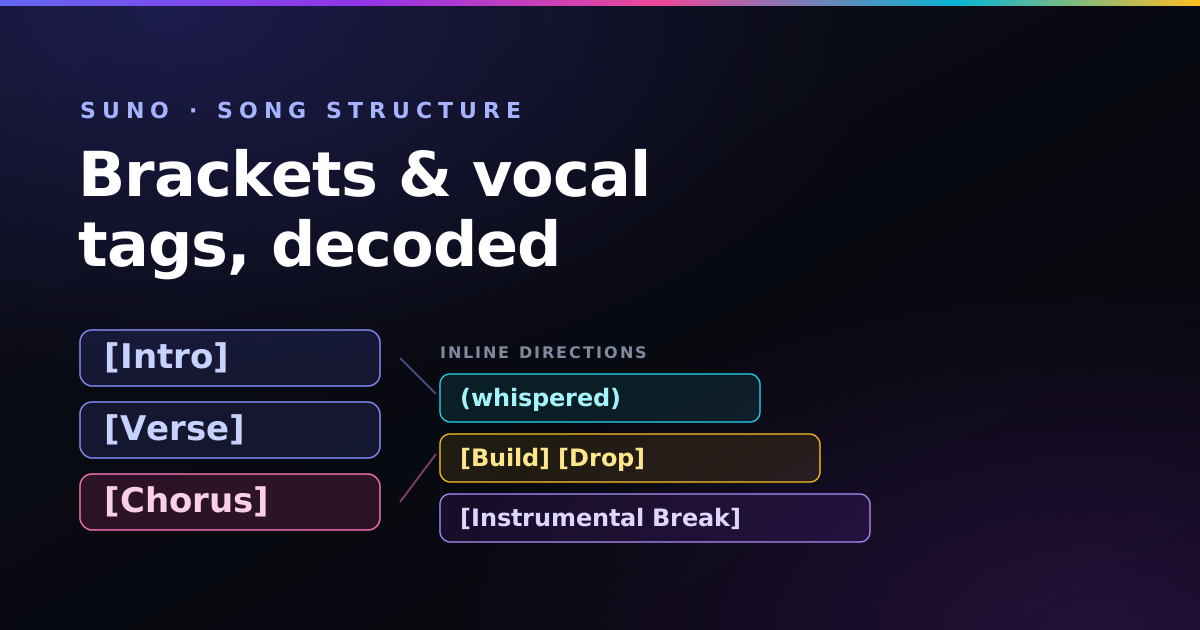
If Suno keeps singing your stage directions, mashing every section together, or refusing to give you a clean guitar solo, the problem is almost never the words — it is the formatting. Suno treats your lyrics box like a script, and two symbols are its core grammar.
Key takeaways
- Square brackets [ ] direct the band and the structure — put them on their own line.
- Parentheses ( ) direct backing vocals, ad-libs, and echoes.
- A bracketed cue with a blank line below it triggers an instrumental section.
- Short lines and bracketed pauses stop the AI from rushing the vocal.
The law of brackets [ ]
Square brackets are how you talk to the arrangement. Anything inside them is a direction, not something to be sung — as long as it sits on its own line. Use them for section labels and for musical cues:
[Intro]
[Verse]
[Pre-Chorus]
[Chorus]
[Bridge]
[Guitar Solo]
[Outro]
The golden rule: never put lyrics on the same line as a bracket. Write the cue, press enter, then write the words. Mixing them on one line is the single most common reason Suno "sings the brackets."
Triggering solos and instrumental breaks
To hand the song to the instruments and silence the singer, write a descriptive bracketed cue and leave a blank line directly below it. That empty space is the signal that no vocals follow:
[Guitar Solo, energetic distorted bends]

[Keyboard Solo, retro square-wave synth lead]
For a longer instrumental bridge, add [Instrumental Bridge] and leave two or three empty lines before your next section. The amount of space you leave roughly tells Suno how long to let the band play.
Backing vocals and ad-libs ( )
Parentheses are for the second voice — backup singers, harmonies, whispers, and echoes that sit behind the lead. Place them on a new line beneath the lead lyric:
We run into the city, neon lights
(deep into the night)
Nothing's gonna stop our rolling wheels
(stronger than we feel)
You can also tuck short ad-libs at the end of a line — (yeah), (oh-oh), (echo) — to spin up spatial background voices without writing a whole counter-melody.
Remember the split: brackets direct the band, parentheses direct the singers. Keep that distinction and Suno almost always does what you meant.
Fixing fast, garbled vocals
When Suno crams too many syllables into a bar, the vocal turns into a machine-gun rush. Two fixes work together:
- Shorten your lines. Break long sentences across more lines so each one carries fewer syllables.
- Insert pauses. Drop
[Short Pause],[Musical Interlude], or[Beat Transition]between sections to reset the tempo and give the model room to breathe.
A full annotated blueprint
Here is everything working together — section labels, an in-line band cue, parenthetical backing vocals, and a solo:
[Intro]
[Clean acoustic guitar, slow warm bass groove]

[Verse 1]
Walking down the familiar avenue
Underneath the early morning dew

[Pre-Chorus]
But the drums start to build up now
(building the beat)
And we'll make it through somehow
(on our feet)

[Chorus]
[Epic drop, heavy electric guitars, powerful drums]
We are driving down the open highway road
Shaking free from the heavy yesterday load
(driving fast now, heading home)

[Keyboard Solo, retro square-wave synth]

[Outro]
[Acoustic guitar and handclaps fade out]
[End]
Notice how the chorus opens with a bracketed energy cue on its own line, then the sung lines follow — that lift in intensity is something you direct, not something you hope for.
Brackets vs parentheses: the cheat-sheet
| Format | What Suno does with it | Example |
|---|---|---|
| Square brackets | Reads it as a section label or band direction, not sung | [Chorus], [Guitar Solo] |
| Brackets with a description | A section plus how it should sound | [Outro, soft piano fade] |
| Parentheses | Sung by a second voice: backing vocals, echoes, ad-libs | (oh-oh), (into the night) |
| Blank line after a cue | Leaves space for instruments, no vocals | [Instrumental Break] + empty line |
| Plain lines | Sung by the lead vocal | Your lyrics |
Common song structures to copy
You don’t need to invent a structure. These are the shapes most songs in each style follow — write the section labels in this order, then fill in the lyrics (or let the song builder lay out the tags and a first draft for you):
| Style | Section order |
|---|---|
| Pop / rock | [Intro] [Verse 1] [Pre-Chorus] [Chorus] [Verse 2] [Pre-Chorus] [Chorus] [Bridge] [Chorus] [Outro] |
| Hip-hop / trap | [Intro] [Hook] [Verse 1] [Hook] [Verse 2] [Hook] [Outro] |
| EDM / house | [Intro] [Build Up] [Drop] [Breakdown] [Build Up] [Drop] [Outro] |
| Ballad | [Intro] [Verse 1] [Chorus] [Verse 2] [Chorus] [Bridge] [Chorus] [Soft Ending] |
| Instrumental | [Intro] [Main Theme] [Instrumental Break] [Main Theme] [Outro] |
How long each section should be
Section length is one of the easiest things to get wrong. Overlong verses are a common cause of rushed vocals, and choruses work best when they are short and repeatable. Good starting points:
- Verse: 4–8 short lines.
- Pre-chorus: 2–4 lines.
- Chorus or hook: 4 lines, repeated word for word each time.
- Bridge: 2–4 lines that change the angle or the melody.
- Lyric lines: roughly 6–10 syllables each. The syllable counter checks this quickly.
Switching singers and vocal styles
A bracketed vocal tag at the start of a section changes who sings it. This is how you write duets, call-and-response hooks or a spoken intro:
[Verse 1]
[Male Vocal]
I left the light on by the door

[Verse 2]
[Female Vocal]
I saw it shining from the shore

[Chorus]
[Duet]
And we are home, we are home
The full set of vocal cues — whispered, belting, falsetto, choir and more — is in the Suno meta tags list.

Paddy
Self-taught guitarist and independent AI-music hobbyist. I format every lyric sheet on my own Suno tracks this way — you can hear the results on the music page. More about Paddy.
Frequently asked questions
How do I structure a song in Suno?
Put structural markers on their own lines inside square brackets, such as [Intro], [Verse], [Chorus], [Bridge] and [Outro]. Keep these directions on separate lines from the lyrics you want sung.
What is the difference between brackets and parentheses in Suno?
Square brackets direct the band and the structure, such as [Chorus] or [Guitar Solo], and are not sung. Parentheses hold words for a second voice, such as backing vocals, echoes and ad-libs.
How do I trigger an instrumental solo in Suno?
Write a descriptive bracketed cue on its own line, like [Guitar Solo, energetic distorted bends], and leave a blank line directly below it so Suno focuses on instruments instead of vocals.
How do I add backing vocals or ad-libs?
Put the helper text in parentheses on a new line beneath the lead lyric, such as (deep into the night) or (harmonized choir), to add backup singers, echoes or harmonies.
How do I stop Suno singing too fast?
Use shorter lyric lines with more line breaks and insert bracketed pauses like [Short Pause] or [Beat Transition] between sections to reset the tempo.
How do I switch between male and female vocals in Suno?
Put a vocal tag such as [Male Vocal], [Female Vocal] or [Duet] on its own line at the start of the section you want that voice to sing.
How do I end a Suno song cleanly?
Finish with an [Outro] section followed by [End] on its own line. Use [Fade Out] for a gradual fade, or a description such as [Outro, soft piano ending] for a gentler stop.
Format lyrics without memorizing the syntax
The Lyrics Workbench in the free Paddy Prompt Studio inserts the right brackets and section labels for you, so your structure comes out clean every time.
Open the Lyrics Workbench →