
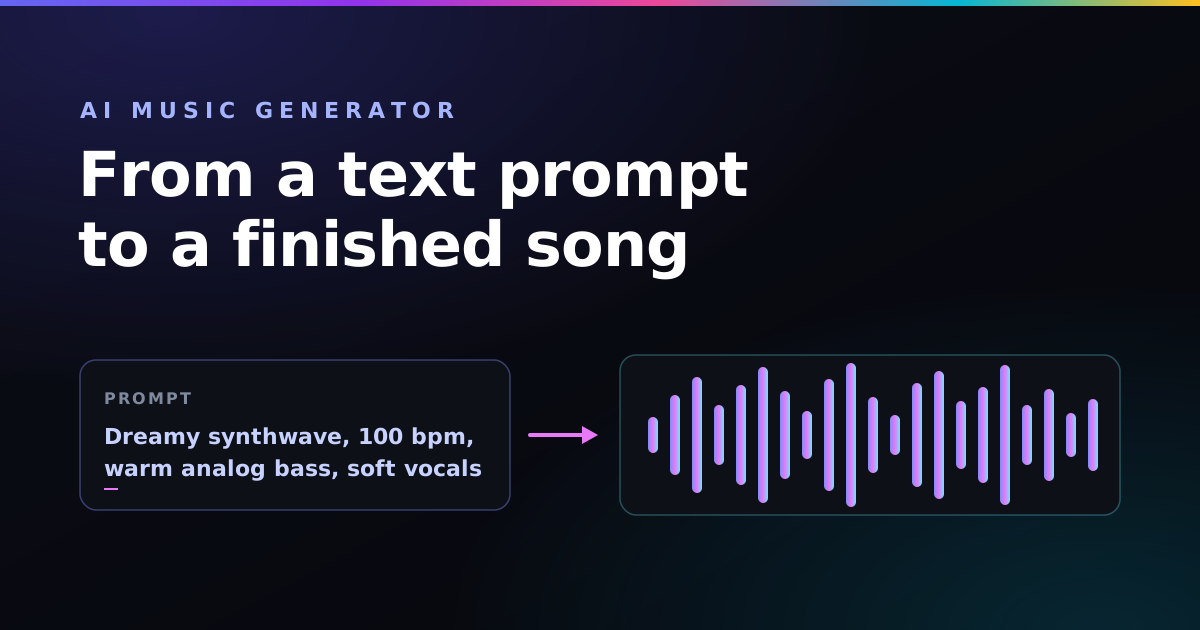
A few years ago, making a song meant instruments, software, and hours of mixing. Today you can type a sentence — "dreamy synthwave with soft female vocals, 100 bpm" — and an AI music generator hands you a finished track before your coffee cools. No studio, no theory, no band.
That speed is exciting, but it is also where people get stuck: the tool gives you something, just not the song in your head. This guide explains how these generators work and exactly what to write so the output matches your imagination.
Key takeaways
- An AI music generator creates original audio — vocals and instruments — from a short text prompt.
- Describe the sound as comma-separated tags: genre, mood, tempo, instruments, production.
- Keep your lyrics in a separate field and label sections with
[Verse]and[Chorus]. - Generate two takes, then refine one tag at a time instead of rewriting the whole prompt.
What is an AI music generator?
An AI music generator is a tool that composes and produces original music from a text description. You tell it what you want in plain language, and a model trained on huge amounts of audio generates the result — melody, chords, arrangement, mixing, and often realistic vocals — usually in under a minute.
The best-known generators right now are Suno and Udio. They differ in sound and features, but the core idea is the same: words in, full song out. You do not play a single note. You direct.
How does it turn words into a song?
Behind the scenes, the model has learned the statistical patterns that make a genre sound like itself — the swing of a boom-bap drum loop, the four-on-the-floor pulse of house, the timbre of a breathy vocal. When you write a prompt, you are choosing which of those patterns it pulls together.
Most generators split your input into two jobs:
- The style (or "sound") field — describes how the music should sound: genre, mood, tempo, instruments, and vocal type.
- The lyrics field — holds the actual words to be sung, plus structure tags that tell the model where the verse, chorus, and bridge go.
Mixing these up is the single most common beginner mistake. Drop "emotional piano ballad" into the lyrics field and the AI may literally try to sing that phrase. Keep your sound description in the style field and your words in the lyrics field, and a huge share of weird results disappears.
How to make a song with an AI music generator
The workflow is the same across nearly every tool. Four steps.
1. Describe the sound
Write the style field as short, comma-separated tags in this order: genre → mood → tempo → instruments → production. Order matters — most generators weight the earliest tags most heavily, so lead with the genre that anchors everything.
Dreamy synthwave, nostalgic, 100 bpm, warm analog bass, soft female vocals, wide stereo, tape warmth
Want the full breakdown of each slot? Our guide on writing a Suno style prompt that works walks through the formula tag by tag.
2. Add your lyrics — or let the AI write them
Paste your own words into the lyrics field and mark each section so the song has shape:
[Verse]
City lights blur into the rain
Every neon sign repeats your name

[Chorus]
And I keep driving, nowhere to be
Just the engine and the memory
No lyrics yet? Most generators will write them from a one-line theme like "a hopeful song about leaving a small town." Treat that as a first draft and edit the lines that feel flat.
3. Generate and compare
Generate at least two takes from the same prompt. AI music is non-deterministic — the same words produce different songs each time — so the second take is often the keeper. Listen to both before you change anything.
4. Refine one tag at a time
If a result is close but not right, resist rewriting the whole prompt. Change a single tag — swap 120 bpm for 96 bpm, or bright for melancholic — and re-roll. Small, isolated edits teach you what each word does and keep your results predictable.
Rule of thumb: if a detail is non-negotiable for your vision, move it toward the front of the prompt. The earlier a tag sits, the louder it speaks.
Why your AI song sounds generic (and how to fix it)
Almost every disappointing track comes from one of three prompt problems:
- Too vague. "A nice happy song" gives the model nothing to lock onto. Name a genre.
- Too crowded. Ten instruments and five moods fight each other and the mix turns to mud. Name two or three signature instruments, no more.
- No production tags. Without words like
wide stereo,warm tape saturation, orclear high frequencies, output can sound boxy and raw. These tags are what make a track feel mixed.
And one rule that trips up almost everyone: you cannot name a famous artist. "In the style of Billie Eilish" gets filtered. Describe the sound instead — "intimate bedroom pop, whispered vocals, sparse 808 bass, lots of space" — which is more reliable anyway because you are naming the actual ingredients.
Lofi hip-hop, 74 bpm, dusty rhodes piano, soft boom-bap drums, vinyl crackle, warm upright bass

Dark trap, 140 bpm, booming 808 bass, crisp hi-hat rolls, orchestral strings, wide cinematic reverb

Indie folk, 96 bpm, fingerpicked acoustic guitar, warm male vocals, soft brushed drums, intimate room mic
From song to music video
Once you have a track you love, the natural next step is visuals. You can feed your finished song into an AI video tool like Vidmuse and cut the footage to the beat — our walkthrough on making an AI music video with Suno and Vidmuse covers the full pipeline from prompt to published clip.
Frequently asked questions
What is an AI music generator?
An AI music generator is a tool that creates original music from a text prompt. You describe the genre, mood, tempo, and instruments in words, and the model produces full audio with vocals, instruments, and structure in under a minute. Popular examples include Suno and Udio.
Is AI-generated music free to use?
It depends on the tool and your plan. Most generators offer a free tier for personal, non-commercial use and a paid plan that grants commercial rights. Always check the licence terms of your specific tool before selling or monetising a track.
Do I need to know music theory?
No. You only need to describe what you want in plain words. Knowing basic terms like tempo (BPM) and genre helps you steer the result, but the generator handles chords, arrangement, and mixing for you.
Why does my AI song sound generic or muddy?
Usually the prompt is too vague or too crowded. Lead with one clear genre, name only two or three instruments, set an explicit BPM, and add a production tag like "wide stereo" or "warm tape saturation." Short, ordered prompts beat long descriptive sentences.
Can I use my own lyrics?
Yes. Most generators have a separate lyrics field where you paste your own words and mark sections with tags like [Verse], [Chorus], and [Bridge]. You can also let the AI write lyrics from a theme and then edit them.
Build your AI music prompt visually
The free Paddy Prompt Studio turns every technique here into click-to-build tags — pick a genre, mood, tempo, and instruments, and it assembles a clean prompt in the right order for your AI music generator.
Open the Studio →